Creating a Bulk Mail
Marketing Managers can create and manage bulk mails for their e-mail campaigns. To do this, the EditView is first opened in the Context "Bulk Mail", where the fields described below are available.
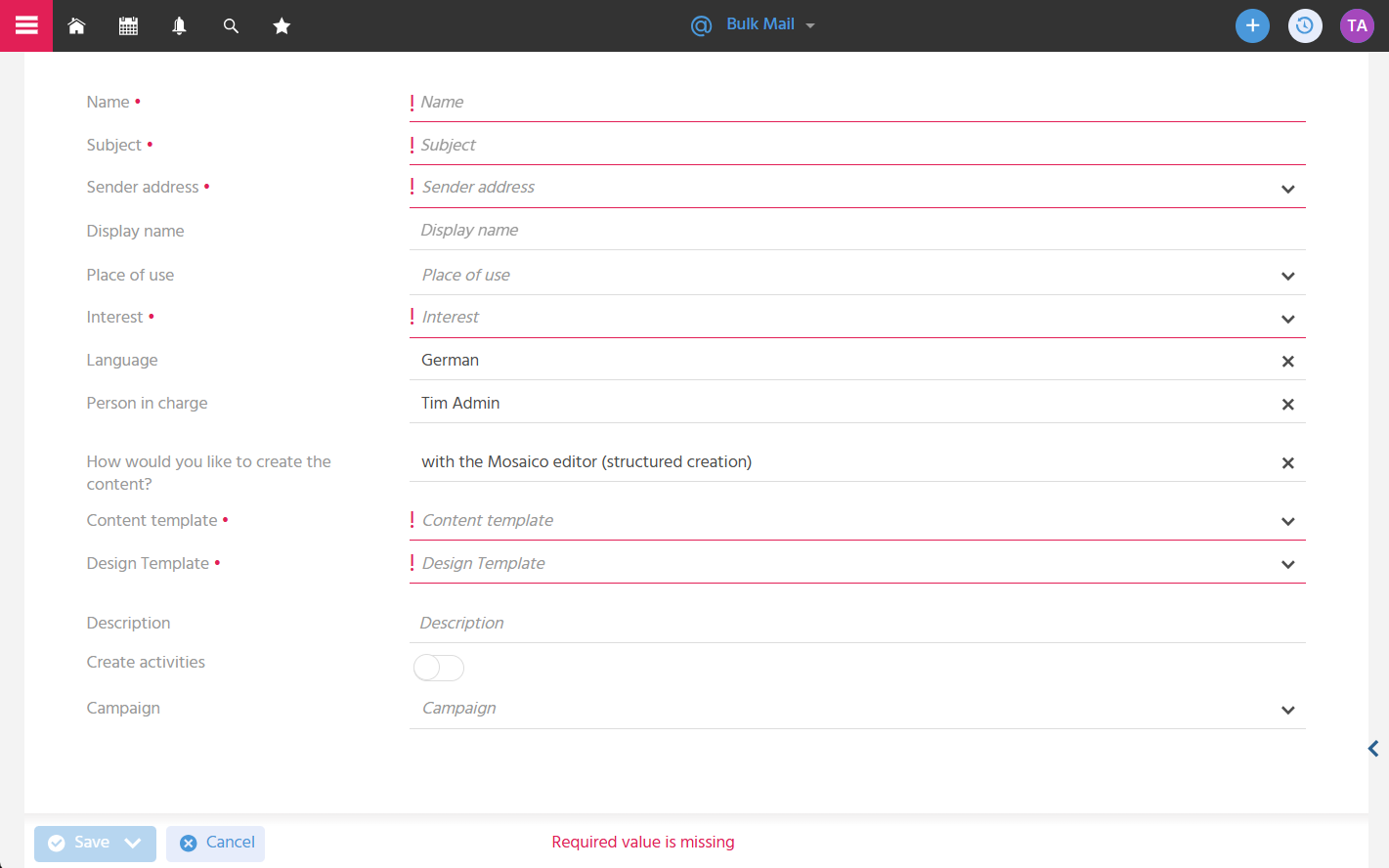
Storing Key Information (Name, Description)
"Name" and "Description" are stored so that the bulk mail can be uniquely identified in the system and so that information can be recorded. Both fields are for internal use and are not displayed in the sent bulk mail.
A consistent structure for building the name, e.g., "Newsletter | Month/Year | Topic", facilitates collaboration among all those involved.
Setting the E-Mail Subject
A meaningful e-mail subject quickly and clearly communicates the content or purpose of the e-mail to the recipients and increases the open rate. By right-clicking in the "Subject" field, emojis can be inserted to further increase the recipient's attention.

Storing the Sender Address and Optional Display Name
In the ADITO system, a fixed user connected to the e-mail program is stored for the marketing mail bridge used to send bulk mails. To prevent the e-mail address of this user from being displayed as the sender to the recipient, the e-mail address that should be displayed to the recipient must be stored in the "Sender address" field.
Additionally, a display name can be stored to personalize the e-mail. The display name is placed before the sender address when sending the e-mail. As with the subject, emojis can also be inserted in the display name.
Display name "Melanie Hueber" and sender address "vertrieb@meinefirma.de" results in "Melanie Hueber <vertrieb@meinefirma.de>"
Making the Bulk Mail Available for Event Dates (Place of use)
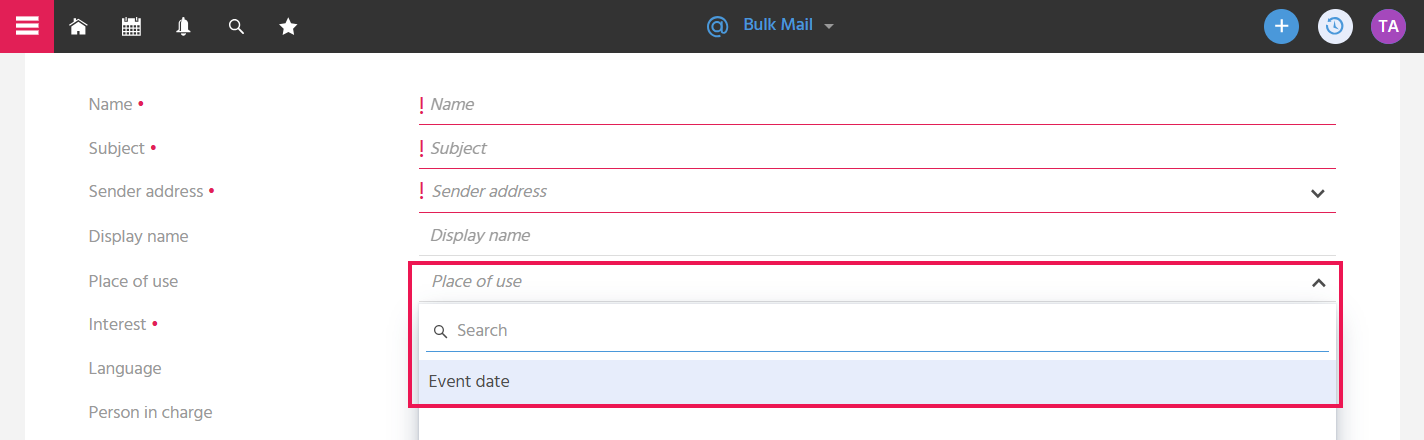
Via the "Place of use" field, it can be specified whether a bulk mail should be selectable in an event date, so that it can then be sent from the event date.
📖 → Further information on the use of bulk mails in events can be found here.
Selecting an Interest
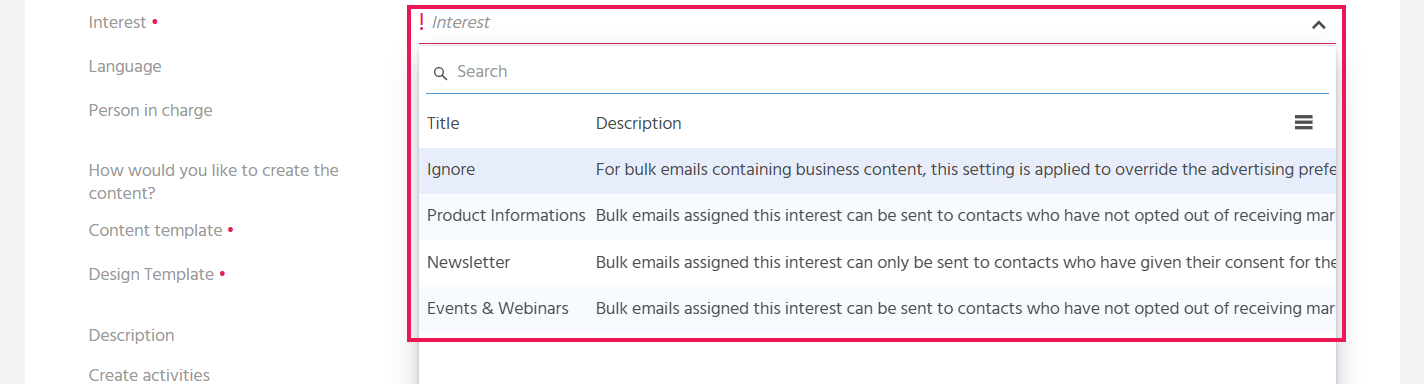
An interest can be selected in the bulk mail so that the bulk mail is only sent to contacts who have agreed to receive e-mails with this interest. If the interest "Ignore" is stored, the bulk mail is sent to all active contacts, regardless of which communication settings and interests are stored on the contact.
📖 → Further information on interests can be found here.
Setting the Language
In the "Language" field, the information is stored about which language the bulk mail is written in, in order to be able to group or filter bulk mails in the FilterView by language.
The selected language has no influence on the content of the e-mail. The content of the e-mail is displayed in the language in which you composed the e-mail.
Storing the Responsible Person (Person in charge)
In the "Person in charge" field, an employee can be stored so that it is clear who is responsible for the design of the bulk mail and for the process of sending the bulk mail. It is automatically pre-filled with the creator of the bulk mail.
The information is used, for example, to display only the bulk mails in the Dashlet "My Bulk Mails" for which the user themselves is stored as the person in charge, or so that the person in charge receives a notification when an e-mail is sent with a time delay.
Specifying How the Content Should Be Created (How would you like to create the content?)
Via the "How would you like to create the content?" field, the content can be created either with predefined content or design templates, with document templates, by uploading an HTML file, or simply without any templates at all, in order to be flexible when creating the bulk mail content.

📖 → The various options for creating a bulk mail are described in more detail here.
Create Activities
The ‘Create activities’ toggle button is used to determine whether Activities are automatically created for the recipients to confirm that the bulk mail has been sent, or not. This prevents the need to create the Activities retrospectively for the recipients of the bulk mail if necessary. When the button is activated, an Activity with the personalized e-mail is created at the contact record of each recipient after sending the bulk mail. These Activities are also displayed in the bulk mail in the "Activities" tab.
Bulk mails are also displayed on the contact in the 360 Degree view. Automatically creating Activities makes sense when the personalized e-mail content should be viewable directly on the contact, or when the bulk mail should be taken into account when the AI summarizes the Activities.
Linking a Campaign
A campaign can be stored on the bulk mail to establish the connection to a campaign for which the bulk mail is needed. In the "Campaign" field, all campaigns are available for selection whose runtime has not yet ended or whose status is not set to "completed".
Marketing Manager Bulk mail