Release Notes 2025.9.0

Please find below selected features and important information about the new xRM version.
Privacy Policy
🚀 Extension of the Deletion Concept
- It is now possible to define context-dependent contexts for each context, whose data should also be removed during deletion
- The user is notified of these dependent contexts when creating a deletion flag and when setting a manual deletion flag
- Configuration is handled via a dedicated library that contains the dependencies of the contexts as a tree structure
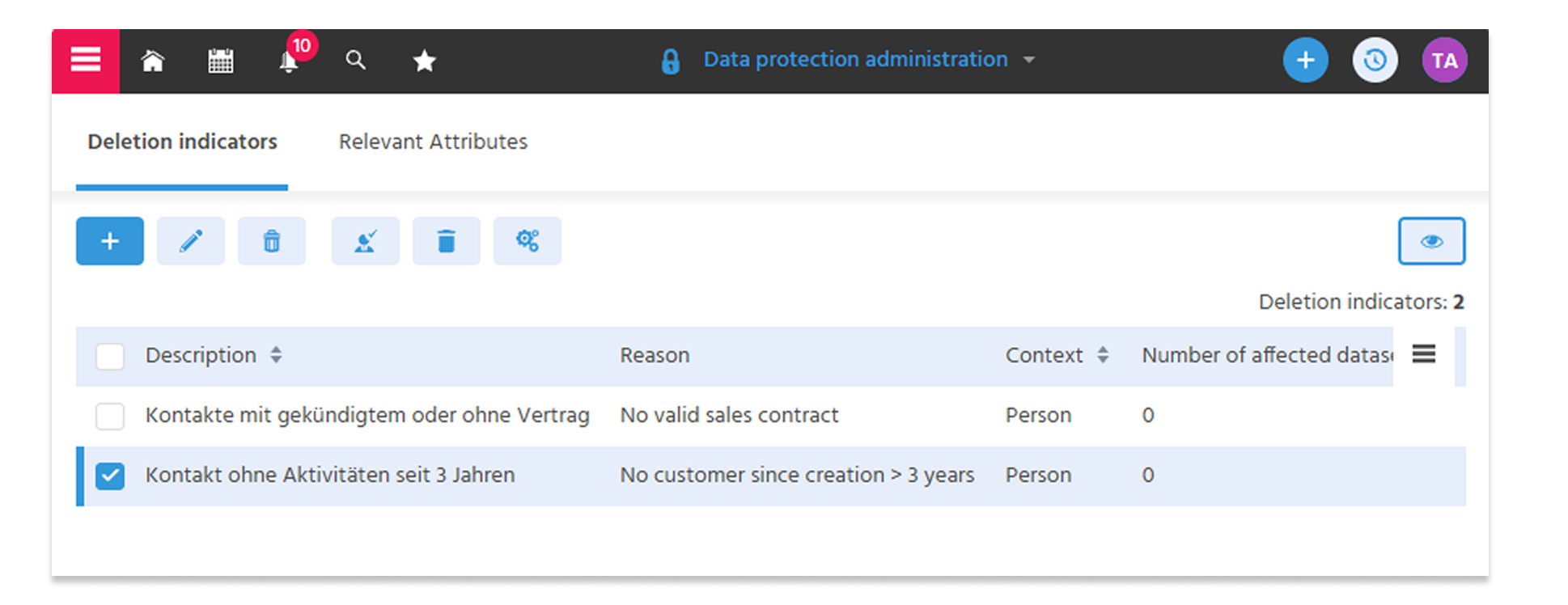
🚀 Optimization of the “Data Protection Administration” Context
- Renamed the “Data Protection Administration” context (previously “GDPR Configuration”) to make it more understandable for international users.
- Splitting the view into two tabs:
- for managing “deletion flags” and general settings (e.g., deletion delay in days)
- for managing “data protection-related properties” for the contact. This ensures that the note regarding the documentation requirement is also displayed when maintaining these properties.
ℹ️Further information: PDF EN
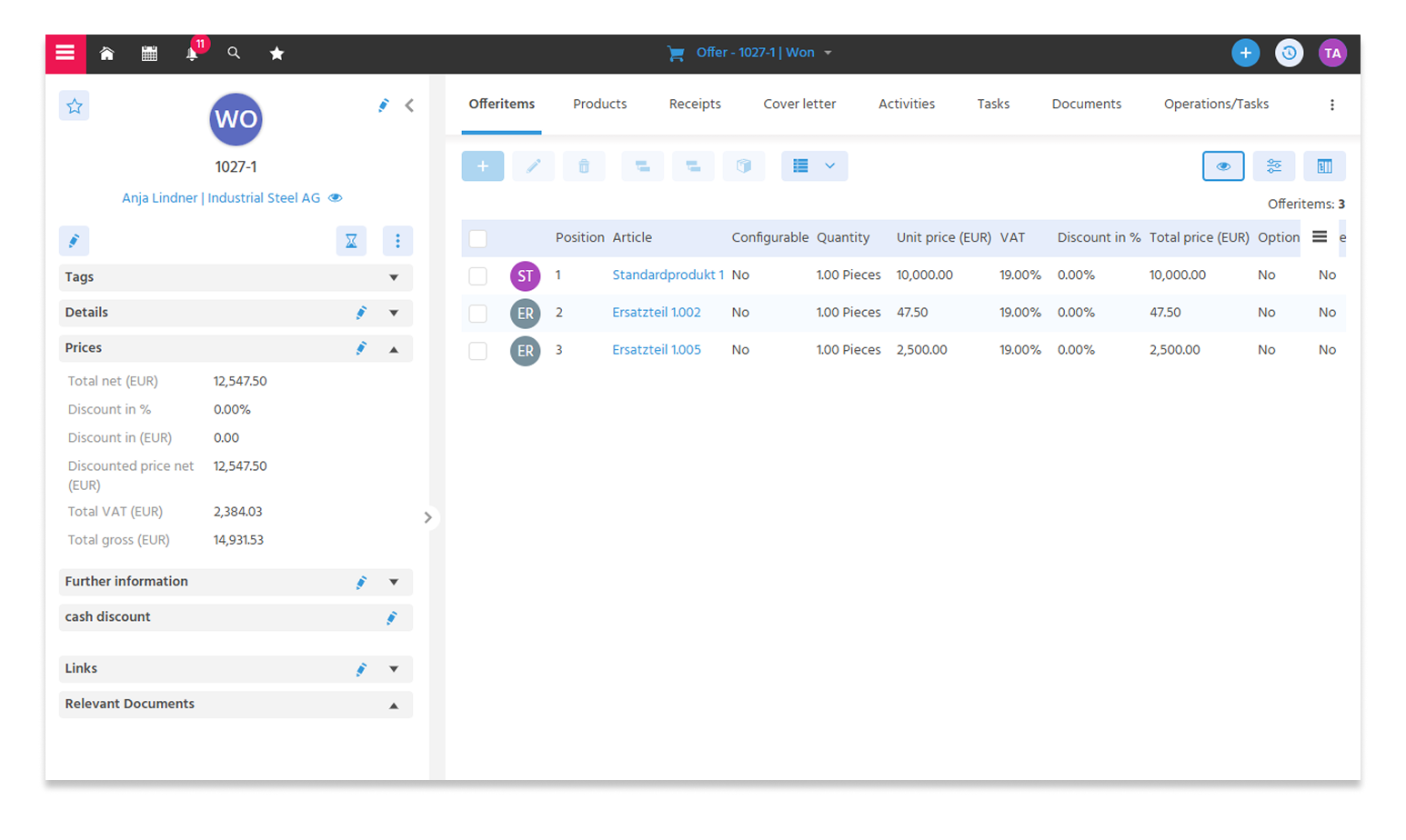
🚀 Refactoring of Price Calculation in Invoices and Quotes
In the past, recurring challenges arose during price calculation. To increase transparency and reliability, we have comprehensively refactored and optimized the logic.
- Separate database fields for local currency and foreign currency
- Saving intermediate results directly to the database
- Revised total calculation for documents and quotes
Goals of the Refactoring
- Easier code maintainability
- Improved performance through cached calculations
- Avoidance of rounding errors
- Consistent calculation in table views and reports
- Reduction of technical debt through simplified code structure
🚀 New Context Mosaico Design Templates
With the Mosaico design templates, you can customize content in HTML format. Using the customizer, you can create new blocks and edit the content or design of existing blocks—ideal for creating email campaigns and landing pages for marketing purposes.
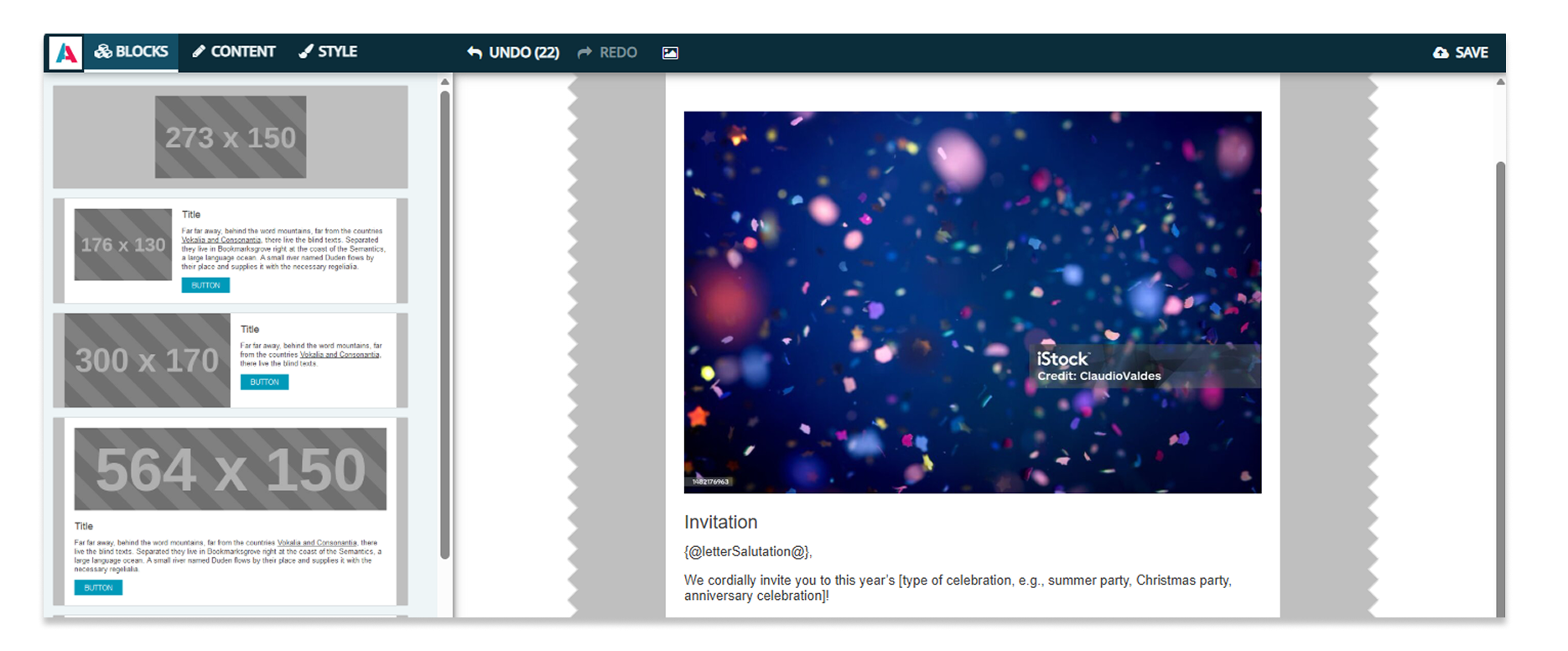
ℹ️ To do this, you'll need to update to the latest version of Mosaico: A comprehensive guide is available to help you get started right away.
🚀 New Features and Improved User Guidance in Context Mass Email
To make it easier than before to choose how you want to create the content of a mass email, you can now select your preferred method when creating a new email, and only the necessary fields will be displayed: either via the Mosaico Editor, the ADITO HTML Editor, or by uploading an HTML file.
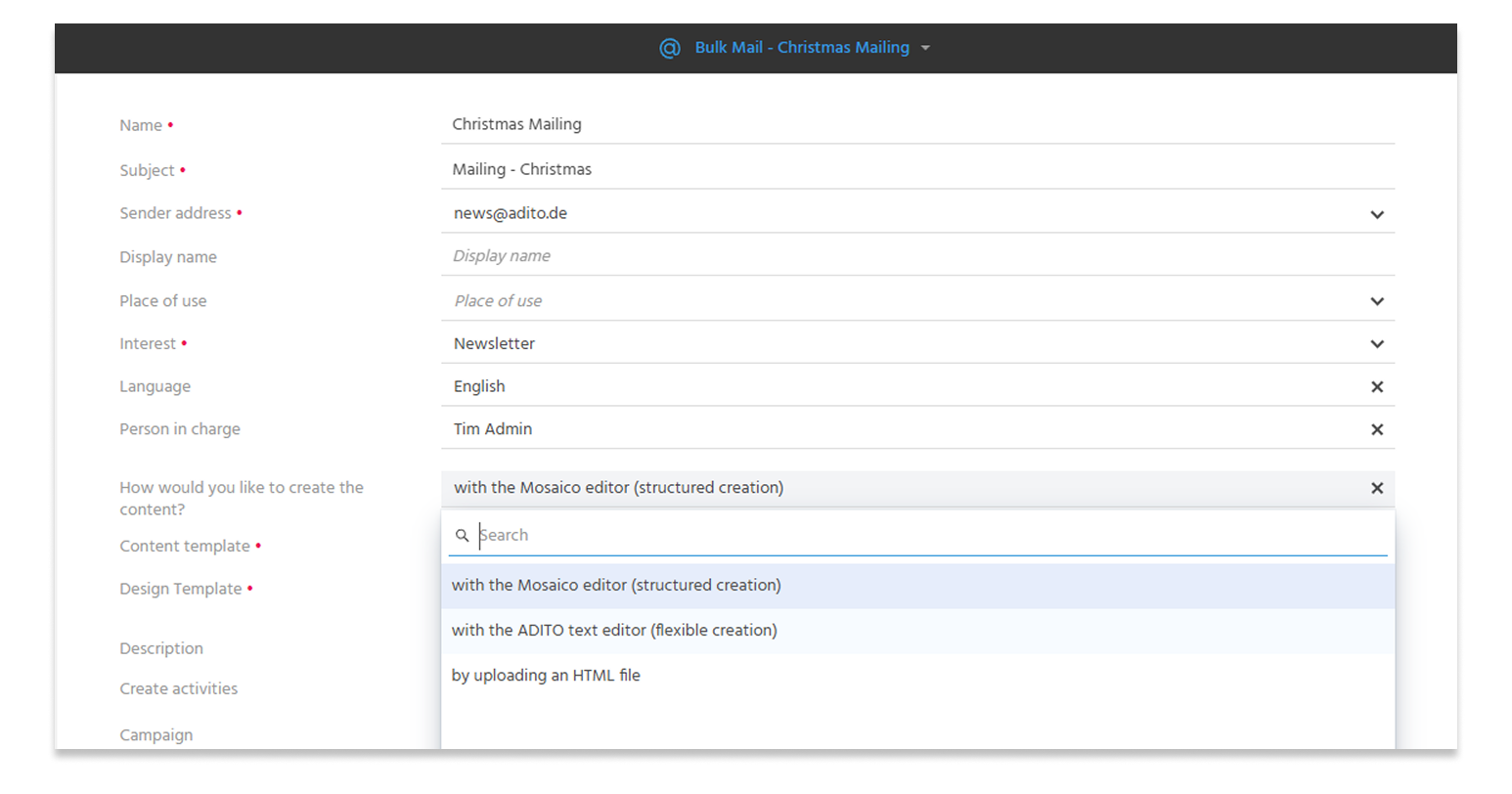
When using the Mosaico Editor, you can
- Select Mosaico content templates that can be edited directly from the mass email (logging in to Mosaico is no longer necessary due to SSO).
- Individual elements of the content can be targeted based on specific interests, so that this content is only displayed to recipients who have subscribed to those interests.
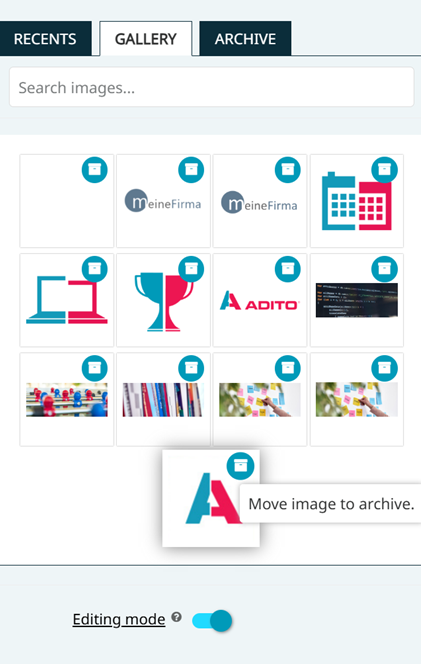
- The Mosaico Editor gallery now features an “Archive” section where outdated images can be moved to keep the gallery organized.
Attachments can be easily added and managed directly within the bulk email. The email header can be customized according to CSA criteria. To add recipients to the bulk email, you can now select recipients from saved filters.
ℹ️Further information: PDF EN
AI
🚀 AI Modules
A proprietary suite of AI modules designed for quick and easy customization, serving as the foundation for future expansion of AI functionalities in xRM and customer projects.
- It is possible to integrate multiple LLMs and target them specifically—“the right LLM for the right job”
- New “INTERNAL_AI” role to grant users access to AI functionalities
- Note: A separate license is required to use the AI functionalities!
- If AI authorization is available, AI functions are active in CKEditor
- Demo data: Users Tim Admin and Max Mustermann have this role by default
🚀 AI-Powered Email Composition
Save time when drafting emails to your customers. Whether you’re reaching out to contacts, communicating with your company, or sending out quotes, you can create personalized emails for your customers and prospects in no time. Enter keywords for the desired content and select the tone, length, and style of the email. Whether formal or informal, interested, enthusiastic, understanding, or confident—the AI assistant generates a suggestion in seconds that fits your situation.
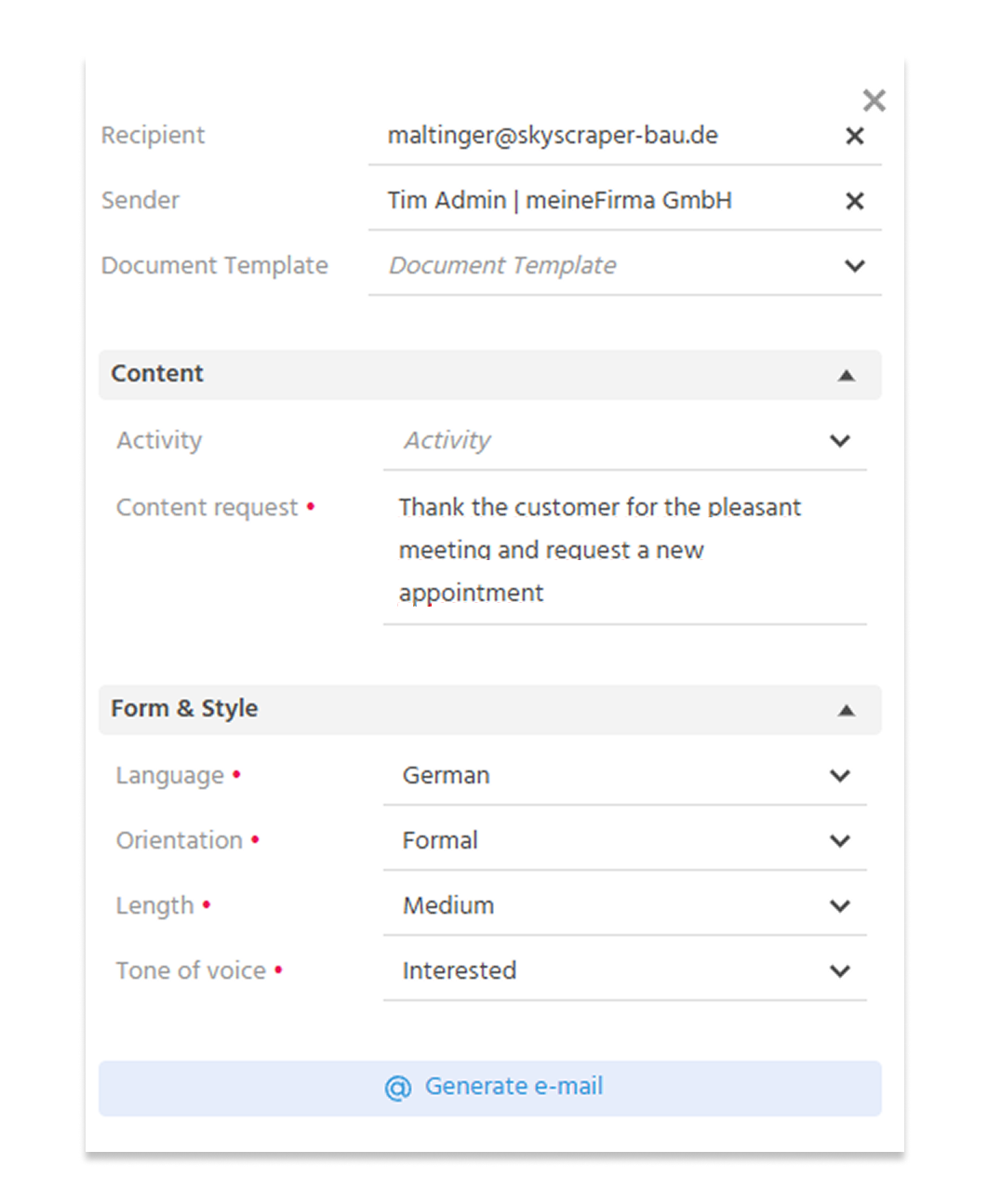
- Available in Contacts, Company, and when sending quotes
- Users can choose to create emails using a document template or via a prompt
- Optionally, an existing activity can be specified to which the email should refer
- The generated email content can be further edited using the editor's AI tools
ℹ️Further information: PDF EN Chapter "Writing e-mails with AI"
🚀 AI-Powered Activity Summary
Over time, a wide variety of activities accumulate in a frequently used CRM system. Manually filtering out the relevant information from these takes valuable time. The new “Summarize” feature provides a solution: The AI assistant analyzes the activity records and automatically generates a summary. This gives you a concise overview of the current status in seconds—clear, fast, and efficient.
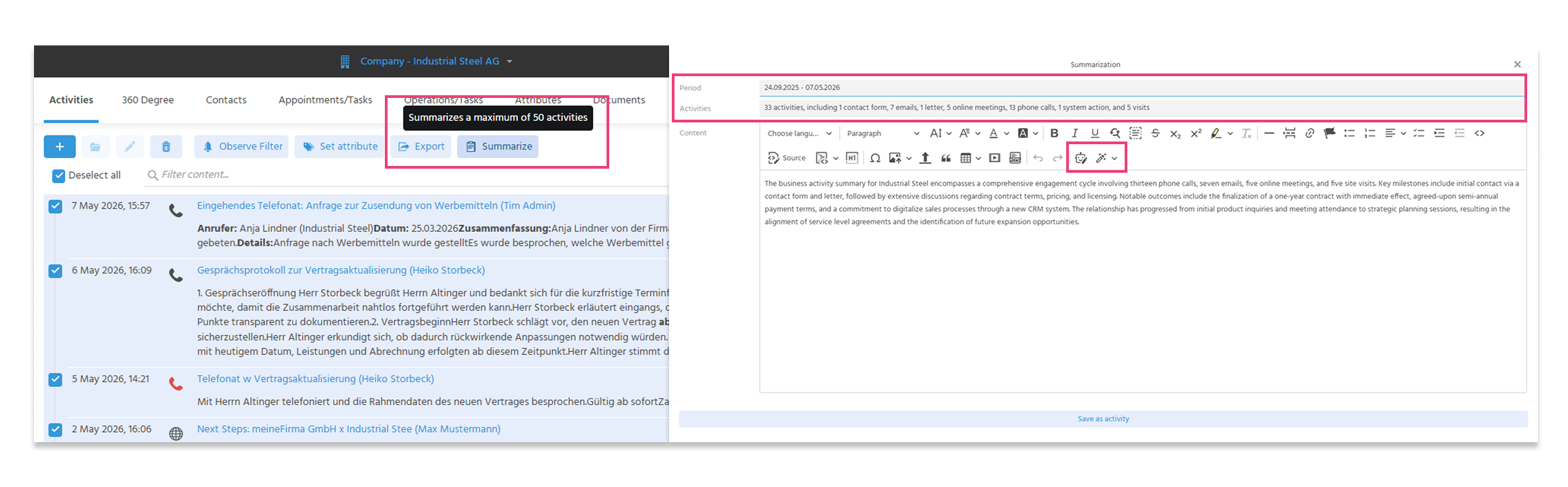
- Allows you to summarize up to 50 activities across all activity contexts
- The time span of the summarized activities and their category are displayed
- The summary can be further edited using the editor's AI tools and saved as an activity
ℹ️Further information: PDF EN - Chapter "Activities"
Minor changes across all areas
🚀 Importing and Exporting VCards
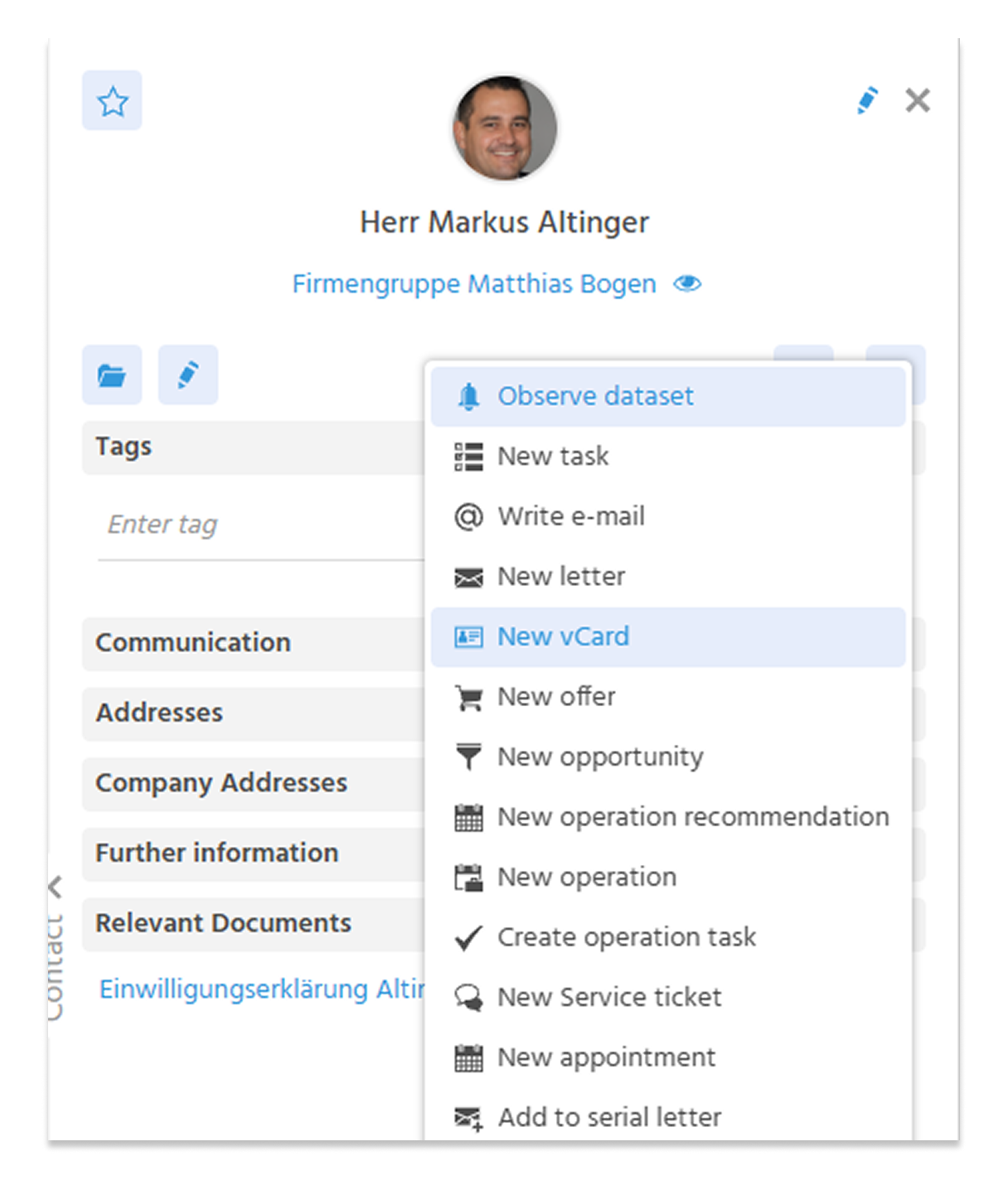 VCards (VCF) can be created for contacts. The VCF file can either be downloaded directly or sent as an email attachment. VCF files can also be uploaded via the import feature in Quick Entry to add contacts. In both cases, VCF 3.0 is used and supported.
ℹ️Further information: PDF EN - Chapter "vCard Export/Import"
🚀 Optimizing Email Import
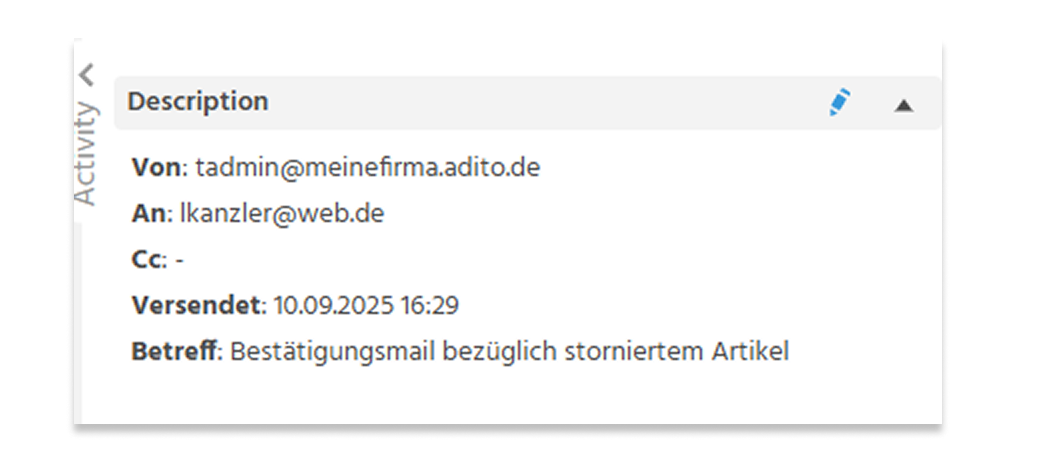
Header information is now consistently displayed in the description field of the activity and is recorded based on the language. This applies to emails that were imported into the system via the Mailbridge, the Import Dashlet, or the Outlook add-in, as well as those imported via the Service Mailbridge. If emails without a subject are imported via the Import Dashlet, “No Subject” is recorded in the activity's subject field.
ℹ️Further information: PDF EN - Chapter "Automatic creation of activities: E-Mails"
🚀 Use of forms of address
When using salutations, the “Grouping” function is now available in the administration context to sort by language, salutation, gender, or title. To define elsewhere in the system whether the title and salutation should be displayed for editors, managers, etc., the ContactTitelRenderer class is used. By default, the salutation and title are hidden.
ℹ️Further information: PDF EN
🚀 Linked dates now visible in the opportunity
Previously, linked dates were only displayed in the calendar, not directly in the linked Opportunity. To ensure complete transparency and efficient project management, all relevant dates linked to an Opportunity are now visible directly there. This significantly reduces communication effort and greatly simplifies the planning and tracking of dates.
🚀 Field for SharePoint Link in Company, Opportunity, and Project
It is now possible to enter the URL of a SharePoint folder in a field within the “Company,” “Opportunity,” and “Project” context records. When saved, the URL is validated to ensure it is a valid SharePoint link. Clicking the link, which is now displayed in the preview view, opens a new browser tab.
🚀 The “Opportunity” field is no longer required in documents
This change was necessary because not all documents are linked to an opportunity. Additionally, invoices for customer projects are often created in the ERP system, while sales data is also required in the CRM. If, when importing an invoice from the ERP system, it is not known which opportunity the invoice should be assigned to, it can be entered into the system without an opportunity.
🚀 “Valid Until” Field in Quotes
The “Valid Until” field is a standard feature in the sales process for tracking and validating quotes, and is now also available in the “Quote” context. It not only provides transparency for the customer but is also of great importance for internal management processes (e.g., for follow-up actions). In product demos, it is essential to be able to present realistic and practical scenarios.
🚀 Set a custom display name for the sender's email address
Users of the bulk email feature can now add a custom display name to their available sender addresses. This allows for even greater personalization of emails. Even ad-hoc mailings can be sent from an email address such as sales@adito.de and will then display the desired custom name.

🚀 Events: Removal of the Agenda Tab
In the “Event” context, the “Agenda” tab has been removed. It is now only available in individual event entries, allowing you to set specific dates and times for each event entry in the agenda.
Sample data
🚀 User for Outlook Add-In
The user “Tim Admin” is now (as the only demo data user so far) assigned the “Outlook Add-In” role, which grants permission to use the Outlook Add-In.
ℹ️Further information: Installing and Using the Outlook Add-in
🚀 Newsletter Subscription and Unsubscription
Newsletter sign-up and unsubscribe functionality can now be presented out-of-the-box. The sign-up form, email templates, and corresponding workflows are generally* available and work together (*not customized for customers). The unsubscribe link is also included in the email footer as an example and triggers a workflow that sets the marketing preferences for the contact.
After creating a demo system, a mail server can be configured for email delivery.
-
Demonstrate newsletter sign-up with mail server configuration for email delivery
- Open the link to the newsletter sign-up form and click the “Submit” button
- The contact is displayed in the “Marketing Webservice Leads” dashlet and can be opened. => Marketing settings for the contact have been set according to the workflow.
- A DOI email with a confirmation link for the newsletter subscription is sent; it can be opened and the confirmation link clicked.
-
Display the newsletter sign-up form without requiring mail server configuration for email delivery
- Open the link to the newsletter sign-up form and complete the sign-up process
- The contact is displayed in the “Marketing Webservice Leads” dashlet and can be opened. => Advertising settings for the contact have been configured according to the workflow.
- A DOI email containing the newsletter subscription confirmation link is sent and can be opened via the 360-degree tab in the contact. In the bulk email under the “Mail Logs” tab, the email can be opened and the confirmation link clicked using the “Open Web View” action.
🚀 Events
The “Event” and “Event Dates” contexts now include sample data so that they can be presented effectively without requiring extensive preparation.
🚀 Quote Approval Workflow
The demo data includes the Quote Approval Workflow, which is perfect for demonstration purposes. A bug has been fixed in this workflow, and it is now fully documented—so it’s ready to go!
ℹ️Further information: PDF EN
Technical changes
🚀 Admin User
Until now, the Admin User was created in both QA and production systems exclusively as a user without an associated contact or company record. This resulted in error messages during system login or in user-related contexts (e.g., tasks). To resolve this issue, a contact person named Tim Admin is now created for this user in both production and QA systems.
🚀 Links on the Document
In the “Document” module, the “PossibleConnectionTypes” parameter was hard-coded to the SalesProject, making it difficult to extend. The goal was to store all links on the document in a uniform manner. Result: Linked contexts are now stored only via OrderLink (and no longer directly to Order).
🚀 Better and More Reliable Bounce Detection
Bounce detection was not always equally reliable across different customer environments. This has been optimized to ensure the best possible detection. To achieve this,
- recipient detection was expanded to include “Final Recipient,”
- email address and error code searches were extended to attachments of the type message/delivery-status, and
- email filters in the format “Status: x.x.x” were updated.