Using a Prompt When Composing Text in the Editor
Automatic Access to Active Prompts in the Editor
If prompts (custom or default prompts) are activated or set to inactive, a renewed login to the client is required.
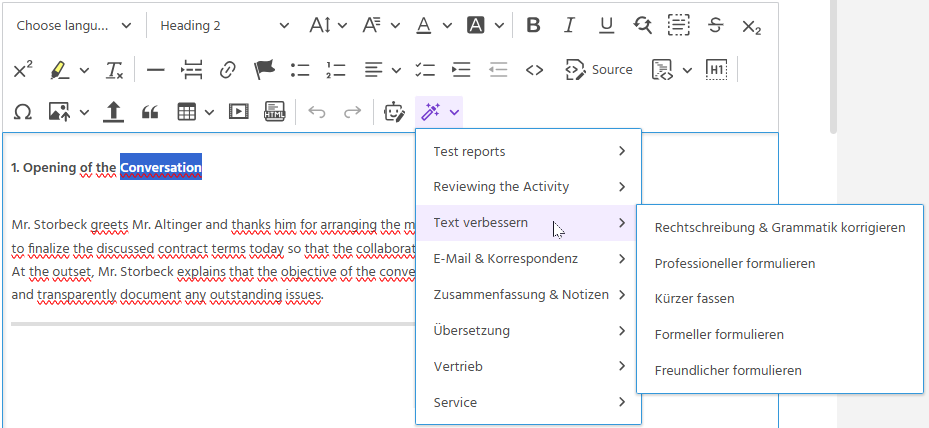
After logging in, there is automatic access to the active custom prompts and default prompts. The prompts are available in the editor (e.g. in the activity, task, or in Mosaico).
Important
For changes to the prompts to be reflected in the selection in the editor, a renewed login to the client is required.
Viewing Custom Prompts and Default Prompts Together
In the editor, depending on the user's own configuration, all custom groups/prompts are displayed first at the top, followed by the default prompts activated by the user.