Starting with Default Prompts and Activating/Deactivating Them Individually
The System Manager can make default prompts available in the system, which can be activated/deactivated individually by all users in order to use them for their daily tasks.
📖→ Further information on the central administration of Default Prompts
Viewing Default Prompts
All active default prompts can be viewed in the "Default Prompts" tab of the "Prompt-Editor" (to be opened via the user settings), so that it is known which default prompts are available.
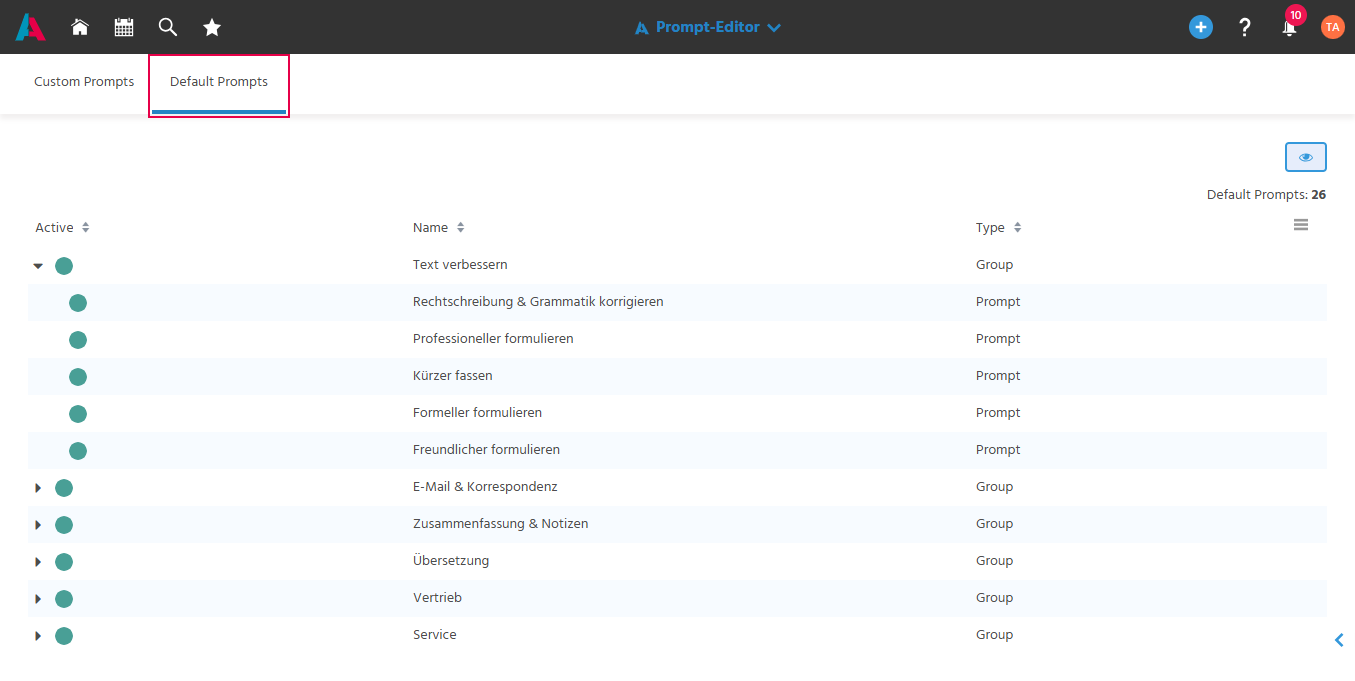
Setting a Default Prompt Active/Inactive
Individual default prompts or entire groups can be activated/deactivated for personal use via the "Set Active"/"Set Inactive" action in the preview, so that only the respectively relevant default prompts are displayed.
The "Set Active"/"Set Inactive" action behaves the same as in the "Custom Prompts" tab.
📖→ Setting a Prompt Active/Inactive
📖→ Setting a Group Active/Inactive