Using the EditView
The EditView is used to either capture a new record or subsequently edit the master data.
Creating a New Record Using the Plus Button
To create a new record, the EditView can be opened via various places in the system using the plus button:
- Using the create button (plus button) in a FilterView
- Via Quick Entry
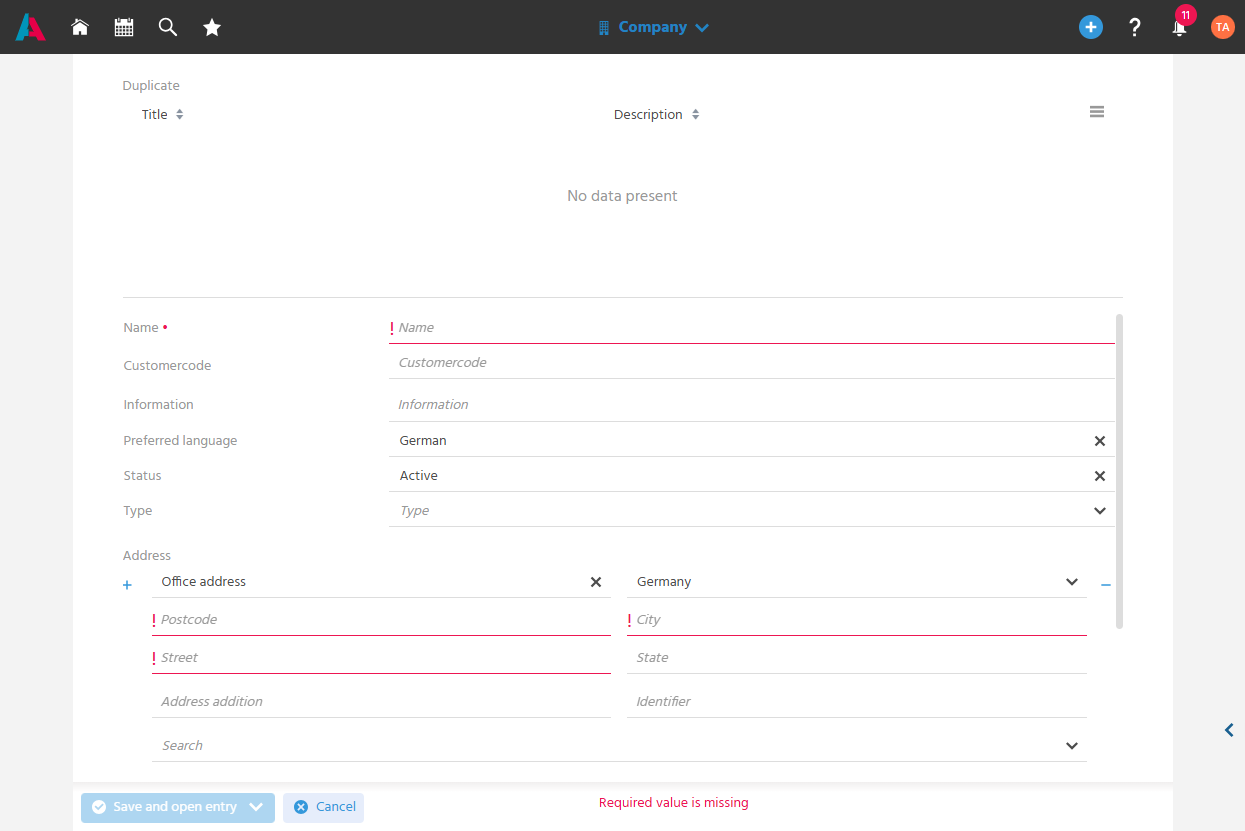
Required fields are marked with a red dot or exclamation mark.
Repeatable fields or field blocks (e.g., an additional address or an additional communication medium) can be added using the plus button and removed again using the corresponding minus button.
Saving and Closing a Record
An edited record can be saved and immediately closed afterward using the "Save and close" option in the Save button, allowing efficient work and a return to the previous view (the record that was open before the EditView was opened).
Saving and Opening a Record
A record can be saved and opened in the MainView using the "Save and open" option in the Save button, allowing further work on it or additional Actions to be performed on it directly.
Detecting Unsaved Changes When Leaving
When leaving a page with unsaved changes, a warning is displayed to prevent data from being accidentally lost.
For example, when searching for another record to open via the index search while editing a record.
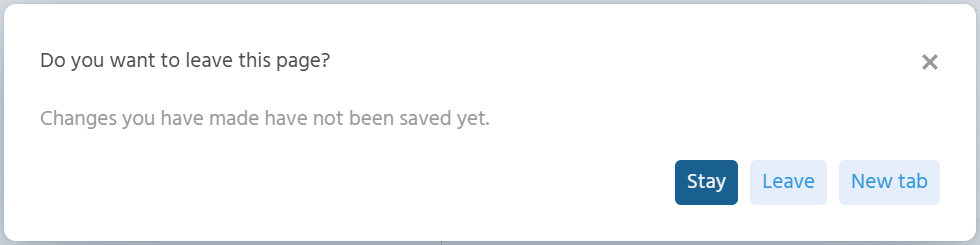
Three options are available:
- Stay - The currently open record remains open, and input can be continued and saved. The record that was to be opened is not opened.
- Leave - The currently open record is left and all input is discarded.
- New Tab - The record that was to be opened is opened in a new tab, while the currently open record with its input remains intact.