Using the MainView
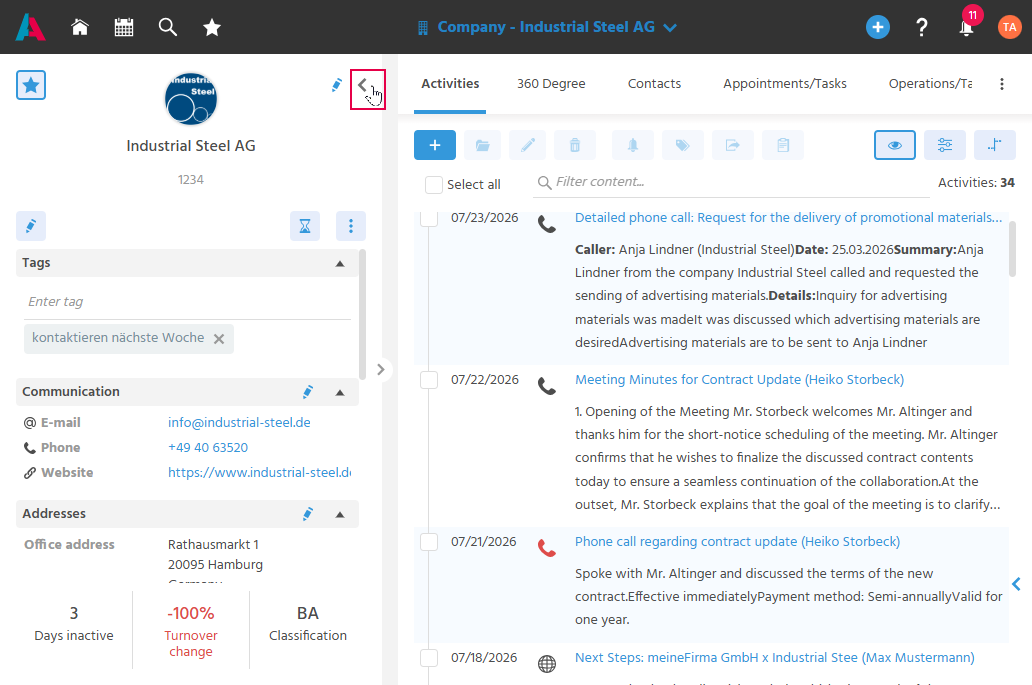
The MainView displays all information related to a record.
The Preview is reused on the right-hand side, and tabs contain the related information.
To gain more space for the tabs, the Preview on the right-hand side can be hidden completely.
Opening a Record in the MainView
The MainView of a record can be opened via the folder button or by clicking the link of a record.
Opening the MainView in a New Browser Tab
To open the MainView directly in its own browser tab, the following approaches can be used:
- right mouse button,
- Ctrl + click,
- Shift + click, or
- Shift + click with the mouse wheel
Finding Linked Records
Linked records are accessible in the MainView, so that all relevant relationships can be recognized at a glance.
For example, records linked to the Company are listed in their own tabs (e.g., "Activities", "Contacts", "Tasks/Appointments", "Planning", "Supervision", "Relationships").
In the Company, the "360 Degree" tab consolidates further linked information from various areas of the system into a single tab.
Project Manager Sales Executive Marketing Manager Service Agent