Recording Receipts
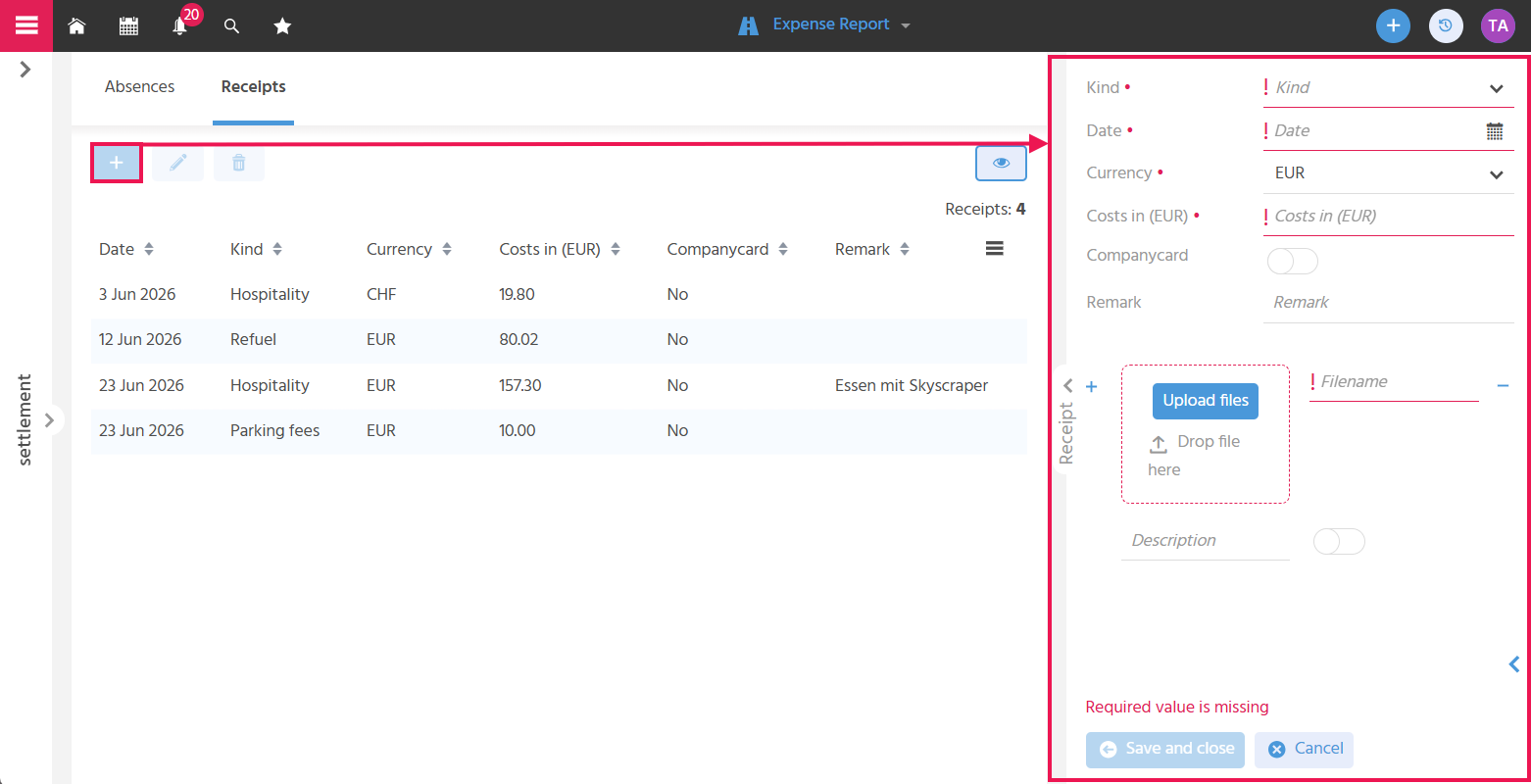
In the "Receipts" tab, the Sales Executive uploads the expense receipts, thereby fulfilling the legal retention and documentation obligation that applies, among other things, in the event of a tax audit. To do this, they open the SmallEdit, where the fields described below are available.
Defining the Receipt Type
The "Type" of the receipt (field "kind") is recorded to categorize the kind of expense, e.g. "Hospitality", "Refuel", or "Parking Fees".
Recording the Receipt Date
The "Date" of the receipt is recorded so that the time of the expense can be traced.
Recording the Receipt Amount
The "Amount" of the receipt is recorded so that it can be taken into account when calculating the payout amount.
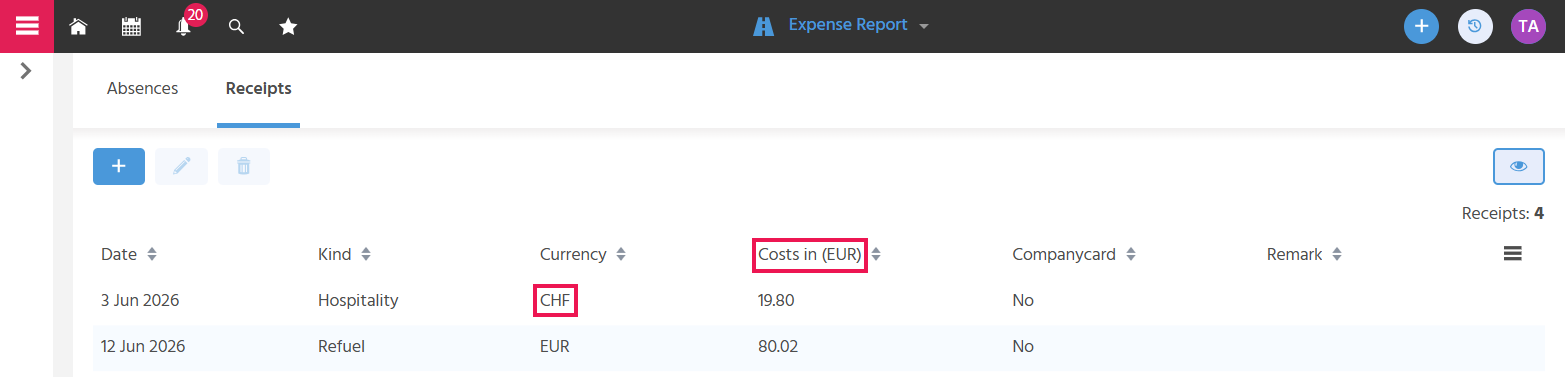
If you were traveling abroad and have receipts in a foreign currency, enter the receipt amount in the original currency and select the corresponding currency in the selection field. After saving, the amount is automatically converted into the local currency. The selected foreign currency is displayed in the "Currency" column. This makes it clear at a glance that the receipt was not issued in the home currency.
Screenshot of the receipts filter view with a foreign currency receipt
Specifying Whether a Receipt Was Paid with the Company Credit Card
The "Companycard" button must be activated if the receipt was paid with the company credit card, so that this amount is not included in the personal payout amount.
Recording Information
There are two fields for adding information about the receipt that is relevant for the settlement.
- In the "Remark" field, information is recorded that should be displayed in the column of the same name in the filter view.
- In the "Description" field, information is recorded that should only be displayed in the preview.
Uploading the Receipt as a Document
Since proof of receipts is legally required, the upload field for recording the receipt as a scan or photo is a mandatory field.
Sales Executive Expenses