Keeping Track of and Managing My Visits
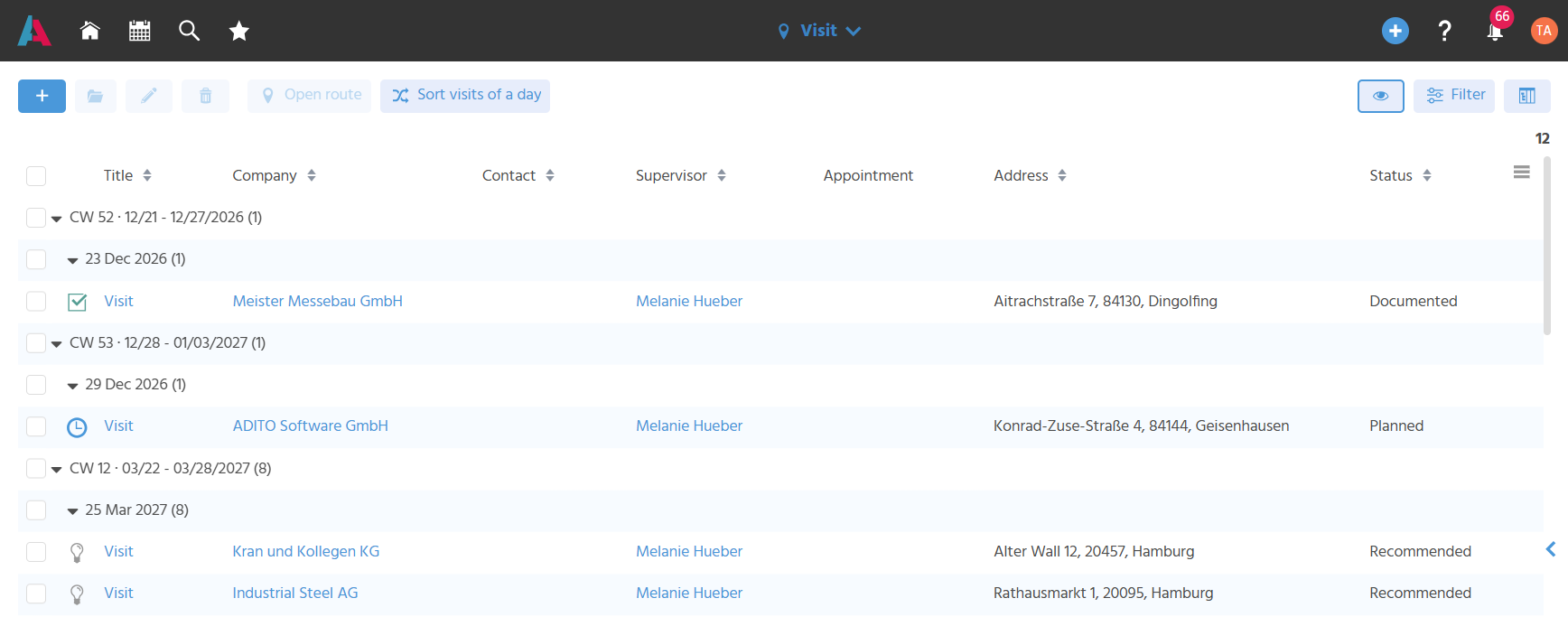
In the FilterView of the Context "Visit", the Sales Executive always keeps track of recommended, planned and documented visits. The icon of a visit record depends on the status, so that the status can be recognized visually without much searching.
Visit Overview with Columns and Filtering
In the FilterView, a predefined filter displays the visits of the logged-in user from the previous week, the current week and the next three weeks, grouped by week and date, so that the user always sees the currently relevant visits. The filter can be adjusted at any time.
Arranging Recommended Visits
A recommended visit can
- be set to the status "Planned" without adjusting the date, if the visit is to take place exactly on the recommended day,
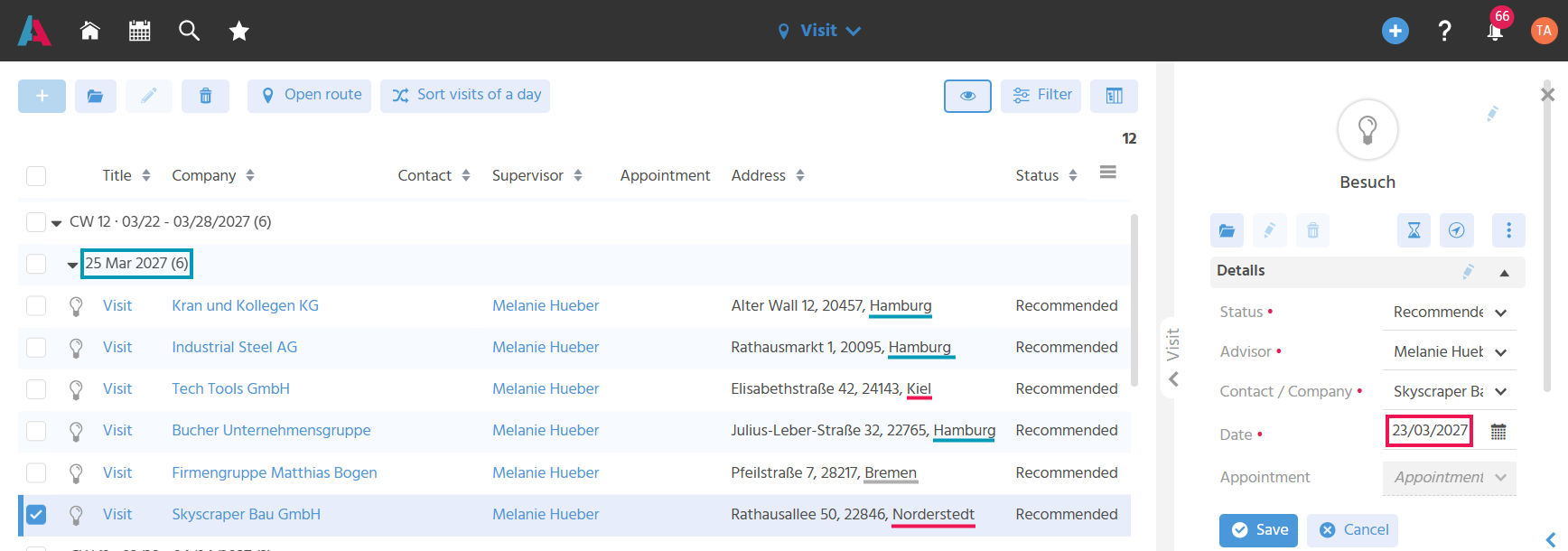
- be set to the status "Planned" after the date has been adjusted in the preview, if the visit is not to take place on the recommended day,
- be deleted if it is not to take place at all. In this case, the visit frequency should also be removed from the supervisor record so that no new visit recommendation is created.
This way, the Sales Executive remains flexible in planning.
Sorting Upcoming Visits Manually
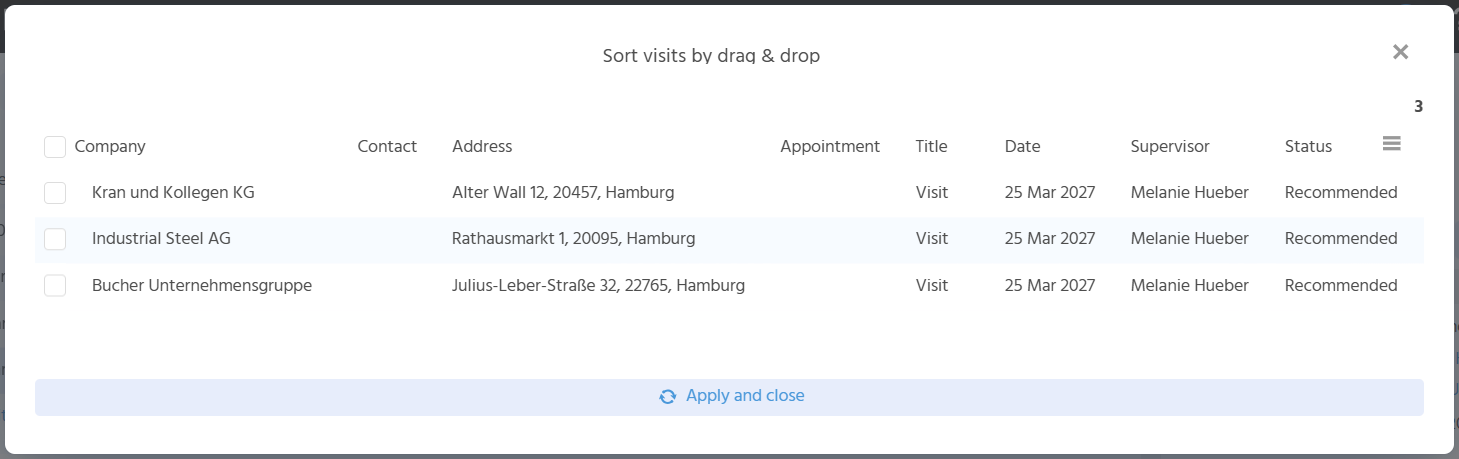
The Action "Sort Visits of a Day" can be used to manually adjust the order of a day's upcoming visits so that the tour can be optimized. The Action is only active if exactly one date is selected. For this, the visits must be displayed grouped by date. After executing the Action, an overlay opens in which the visits of the selected day can be sorted via drag & drop. The "Apply and Close" button closes the overlay, and the FilterView displays the visits in the new order.
The following procedure is recommended when working with visit recommendations (if necessary with the help of the map view):
- First, check which visits are recommended on the individual days within a calendar week:
- Is the number of recommended visits realistic?
- Can the companies be visited along a sensible route?
- Distribute the visits across the individual days so that feasible tours are created.
- Adjust the order of the visits within a day so that they result in an ideal route.
Viewing Visits in the 360 Degree View
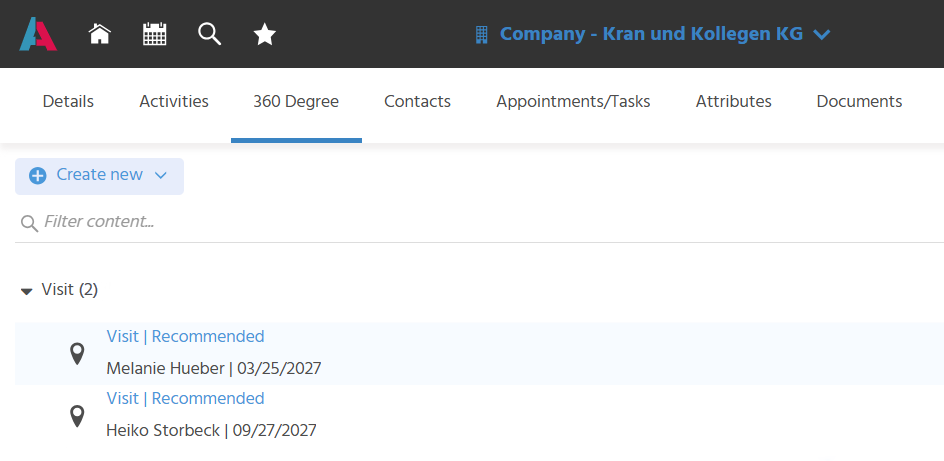
The visits are also displayed in the 360 Degree view of the associated company and contact, so that there is no need to switch to the Context "Visit" for this information.