Marking Data for Deletion
Here, contacts that meet the same condition for deletion are marked with a deletion indicator.
This is done automatically by a Process or triggered manually via an Action in the "Data protection administration" Context by the Data Privacy Agent or a System Manager.
In addition, existing markings are reviewed and an overview is provided of how many datasets will be affected by the deletion.
Marking Datasets for Deletion
Contacts that all meet the same condition for deletion are marked with a deletion indicator. This applies, for example, to contacts whose deadlines have expired or for which there are no longer any valid contracts.
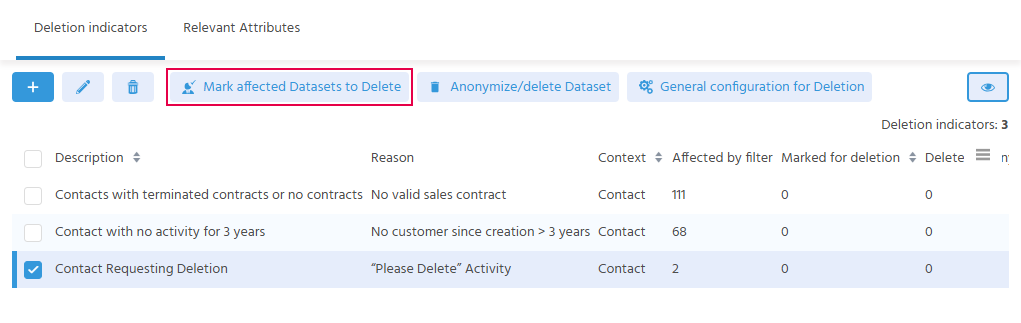
The Process sets the deletion indicators at the defined times or as soon as it has been triggered manually for one or more deletion indicators via the "Mark affected Datasets to Delete" Action. The system checks whether the defined filters of the deletion indicators are met. If this is the case, the deletion indicator with this condition is set on the dataset.
In the contact, the user sees the corresponding entry in the "Data Privacy" tab (in the lower table) and can tell with which reason and at what time the deletion indicator was set.
⚙️ → The Process for setting the deletion indicators DSGVOSetDeleteFlags_serverProcess is usually executed at fixed, defined times.
Reviewing Markings
Executing the "Mark affected Datasets to Delete" Action manually is used to react to changes in the datasets.
When the Action is executed, a query first asks whether the deletion indicator for this reason should be removed from all datasets in the first step or added. If it is removed, it is then set again only on the contacts that still meet the filter condition.
A deletion indicator checks when the last activity of a certain category was captured within a time span. When marking again, all deletion indicators previously set for this condition are first removed and then set again.
If a new activity of the category in question has been added to a contact since the deletion indicator was last set, this contact no longer meets the filter condition. The deletion indicator is no longer set on this contact and the contact is not deleted.
Overview of Marked Datasets
To see transparently before deletion how many datasets are marked and will therefore be affected by a deletion, there are three options:
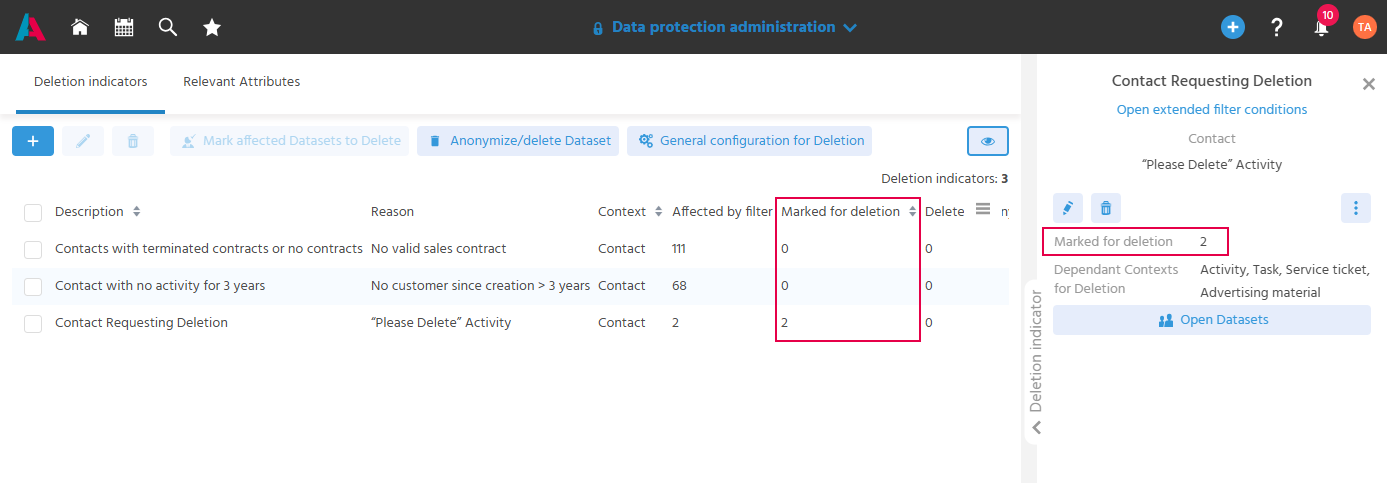
- The column "Marked for deletion" in the table of deletion indicators. It shows on how many datasets this deletion indicator is set.
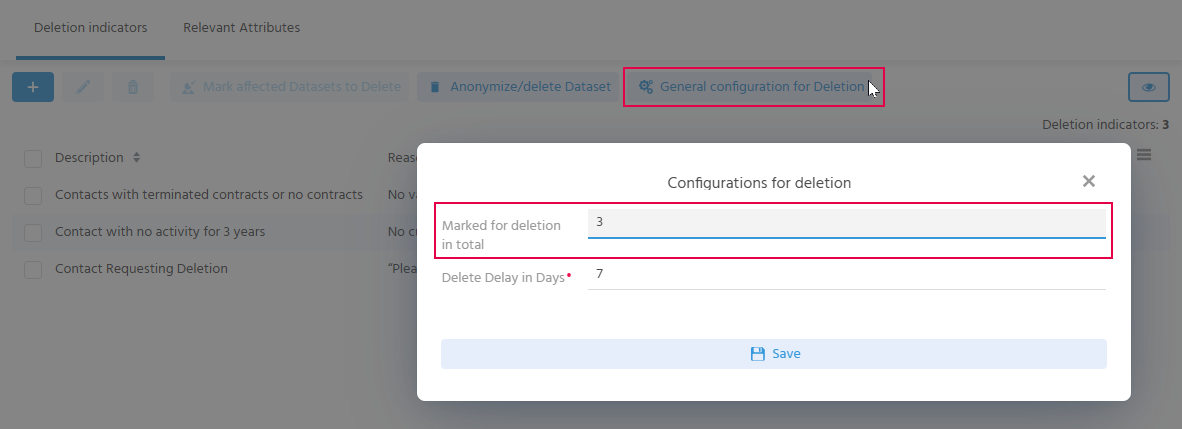
- The "General configuration for Deletion" Action opens a dialog in which the field "Marked for deletion in total" shows the number of all datasets with the status "Marked for Deletion". These datasets have therefore either been marked by a deletion indicator from the data privacy administration or a deletion indicator has been set manually.
- In the filter view of the "Contact" Context, the filter "Status equal Marked for Deletion" can be used to filter for all marked datasets. This provides an overview of these contacts and makes it possible, for example, to delete the deletion indicators of a contact again if this is required from a business perspective.