Configuring the GDPR Relevance of Attributes
In the "Data protection administration" Context, Data Privacy Agents define which attributes contain personal data and are therefore subject to the GDPR.
The attributes themselves are created in the system beforehand by the System Manager.
Marking an Attribute as GDPR-Relevant
Information that is represented on the contact by means of attributes can also be relevant to data privacy. To include such attributes in the data privacy documentation, they are marked as "GDPR Relevant".
In the "Data protection administration" Context, the "Relevant Attributes" tab provides an overview of all attributes that are created in the system for the "Contact" Context. The column "is GDPR Relevant" shows whether an attribute has already been marked.
If the indicator is set on a parent attribute, it is applied to the subordinate attributes.
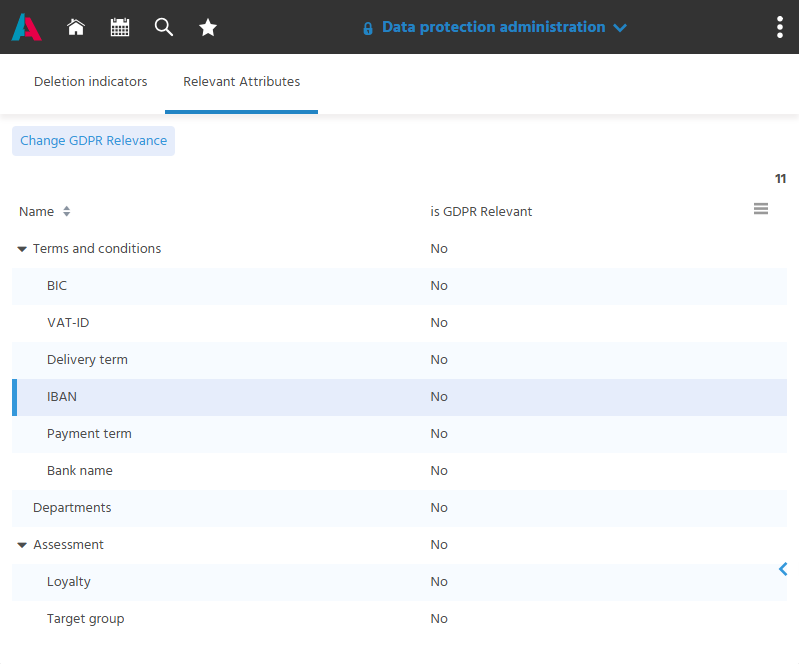
Marking attributes as "GDPR Relevant":
- Open the "Relevant Attributes" tab in the "Data protection administration" Context.
- Select an attribute.
- Execute the "Change GDPR Relevance" Action.
⚙️→ In the dataset of the attribute, the usage on the contact and for data privacy is specified for a data privacy-relevant attribute. The usage "Data Privacy" can either be
- set in the "Data protection administration" Context with the "Change GDPR Relevance" Action or
- captured directly as a usage in the "Attributes" Context.
If an attribute marked in this way is then captured on a contact, it is also listed as type "Attribute" in the table in the "Data Privacy" tab. When saving after creating or changing this attribute, the user receives a notification that the data privacy information must be captured in the "Data Privacy" tab.
📖 → How data privacy-relevant data is documented on the contact is described under Storing Data Privacy-Relevant Data with Justification.