Release Notes 2026.4.2

xRM minor releases aim to fix bugs that arose during a major version. Below you will find selected features, bug fixes, and important information.
General Changes
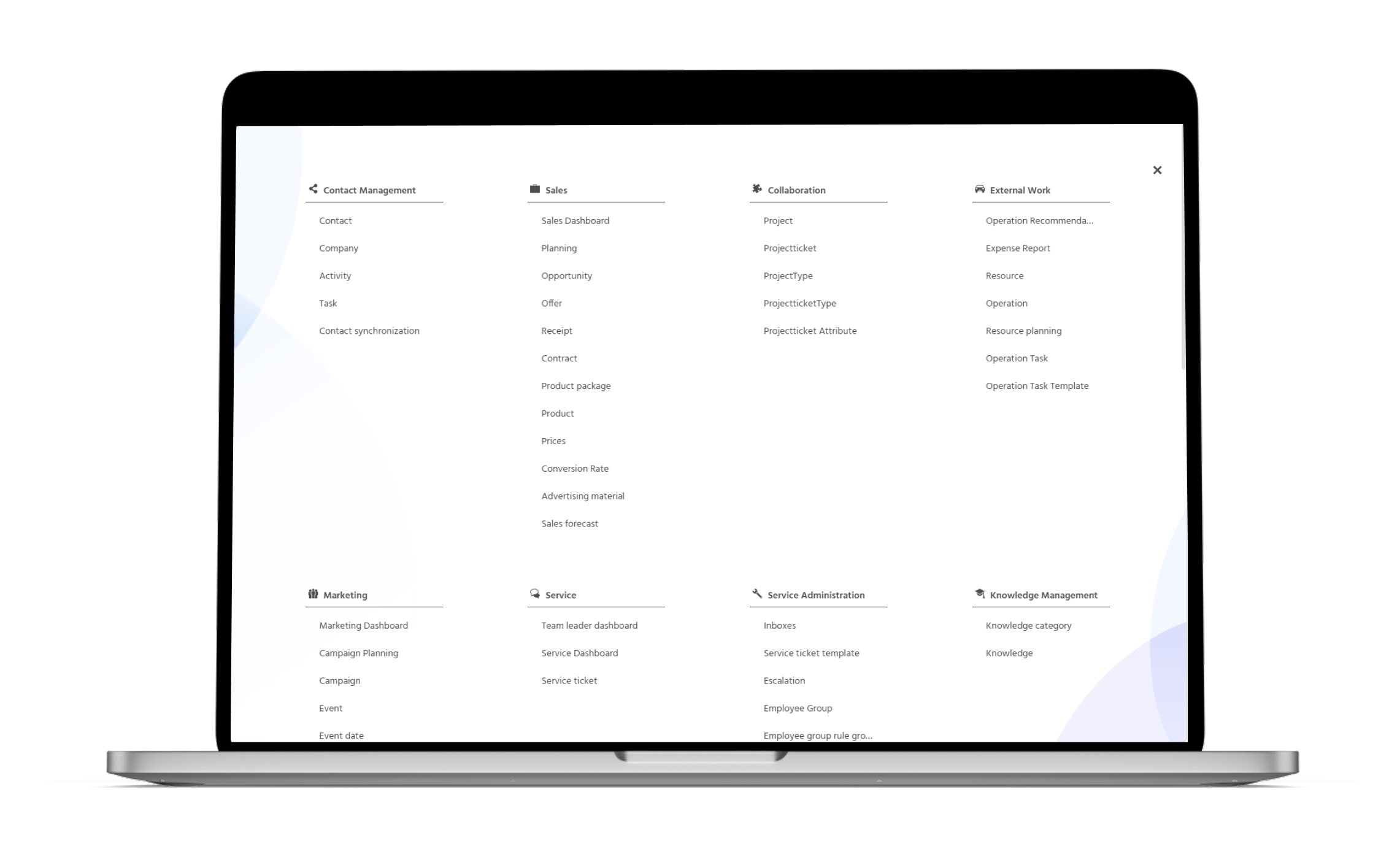
🚀 New Navigation Menu
With the update to version 2026.1.0 of the ADITO Platform, the xRM receives a modernized Global Menu.
Users benefit from the following improvements:
- Clearer structure: Updated visual elements and a larger overlay create a calmer, more spacious layout
- Accessibility: Keyboard navigation and improved ARIA support make usage with assistive technologies easier
- Reduced complexity: Rarely used elements such as the sidebar and history have been removed
- Newly organized key actions: Help is now accessible via a new button in the Global Bar; notifications have been moved to the right
- Smoother search continuity: The index search remembers earlier results for faster, repeated searches
ℹ️ Further Information: A New Menu is Coming | ADITO Platform
🚀 AI-Assisted Linking of E-Mails with Relevant Datasets
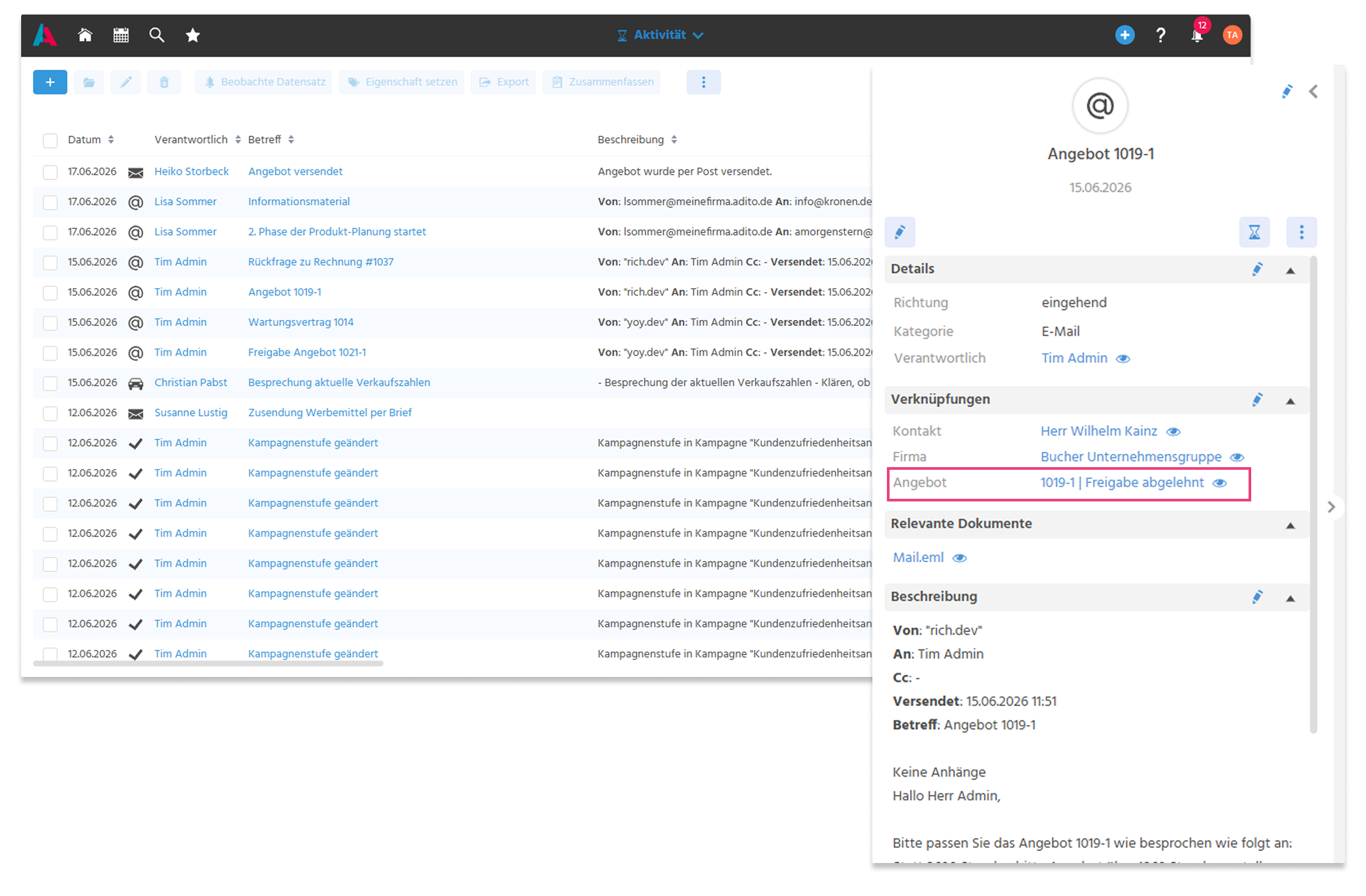
Activities that are automatically created during the import of E-Mails are already linked to the affected Company and Contact datasets. With the help of AI, additional matching links are now generated.
The following enhancements have been implemented:
- E-Mails are automatically linked during import via the Mailbridge, the Outlook add-in, and the "Import E-Mail" Dashlet.
- Datasets from Opportunity, Offer, Receipt, and Contract are taken into account; additional areas can be extended individually within customer projects.
- The assignment is performed with AI support based on the E-Mail content and the existing datasets.
Users benefit not only from time savings, but above all from better data quality, since manual linking afterward was usually not carried out.
ℹ️ Further Information: PDF EN
🚀 Processing of E-Mail and Inline Attachments
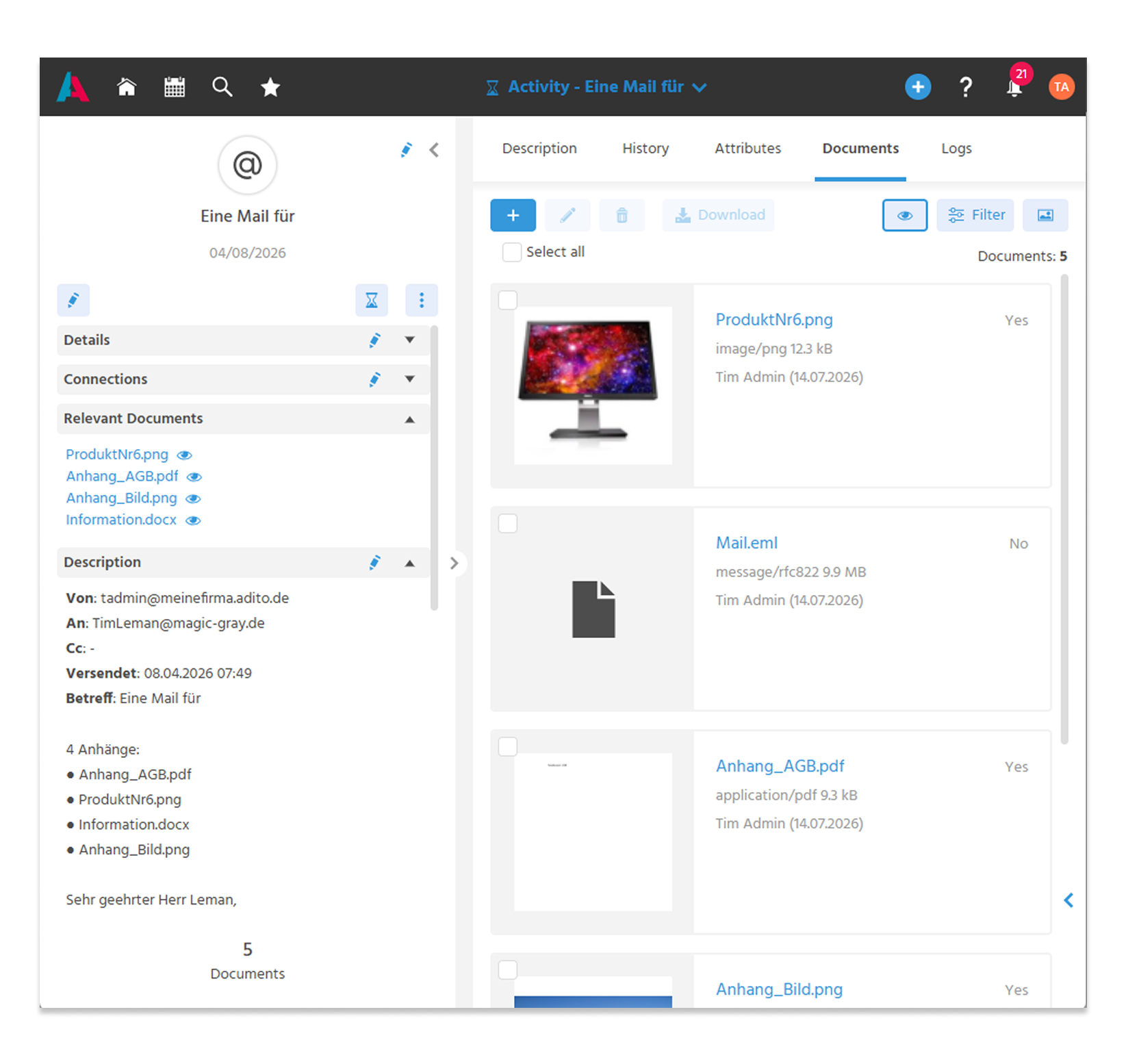
The processing of E-Mail and inline attachments when captured as an Activity via the Mailbridge or the import Dashlet has been standardized. Inline attachments are reliably displayed directly in the description of the Activity, consistently across all processes.
Users thus receive a consistent presentation of E-Mail content and a clearer Documents tab.
- Attachments are stored in the "Documents" tab and shown in the Preview
- An EML file is also stored in the "Documents" tab
- Inline attachments are displayed in the description of the Activity and no longer in the "Documents" tab
ℹ️ Further Information: PDF EN
Contact Management
🚀 Inactive Contacts and Companies Excluded from New Selection Lists
To improve data quality, Contacts and Companies with the status "inactive" or "marked for deletion" are no longer displayed system-wide in selection lists when creating or editing datasets. Only active Contacts and Companies are available there in the future.
In addition, actions for creating new datasets (e.g. Activities, Opportunities, campaigns, Service Tickets) are no longer available for inactive Company and Contact datasets. Both measures reduce incorrect entries and prevent the accidental use of outdated datasets.
🚀 Optimally Filter Relationships
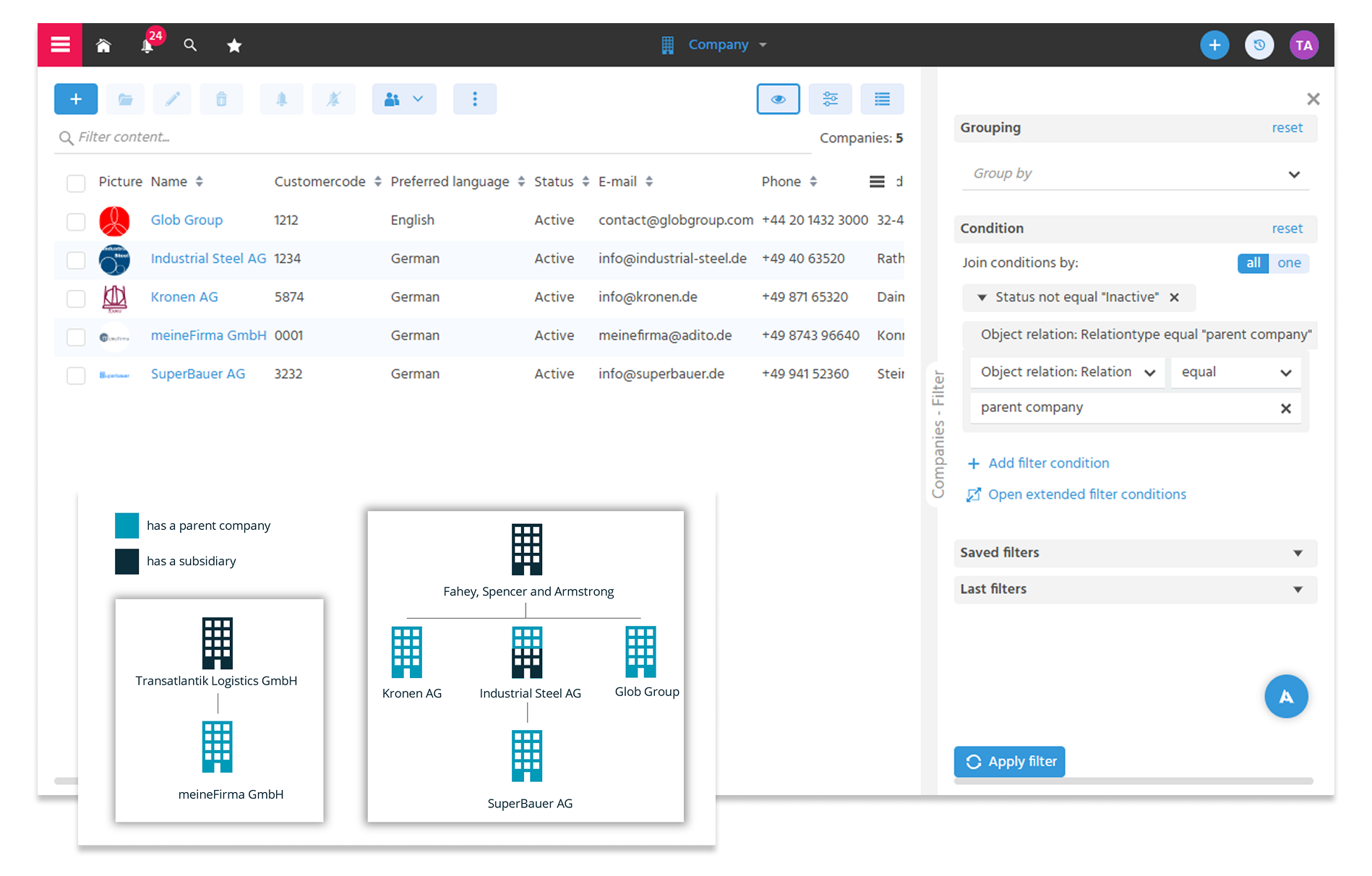
The filtering of relationships has been revised and significantly improved. With the filter "Relationships: Relationship Type", users can reliably display all datasets in which a relationship type is stored, for example all Companies with a stored parent company.
Users receive clear results and a considerably more intuitive experience when working with relationship data.
ℹ️ Further Information: PDF EN
🚀 More Precise GDPR Labels for Greater Clarity
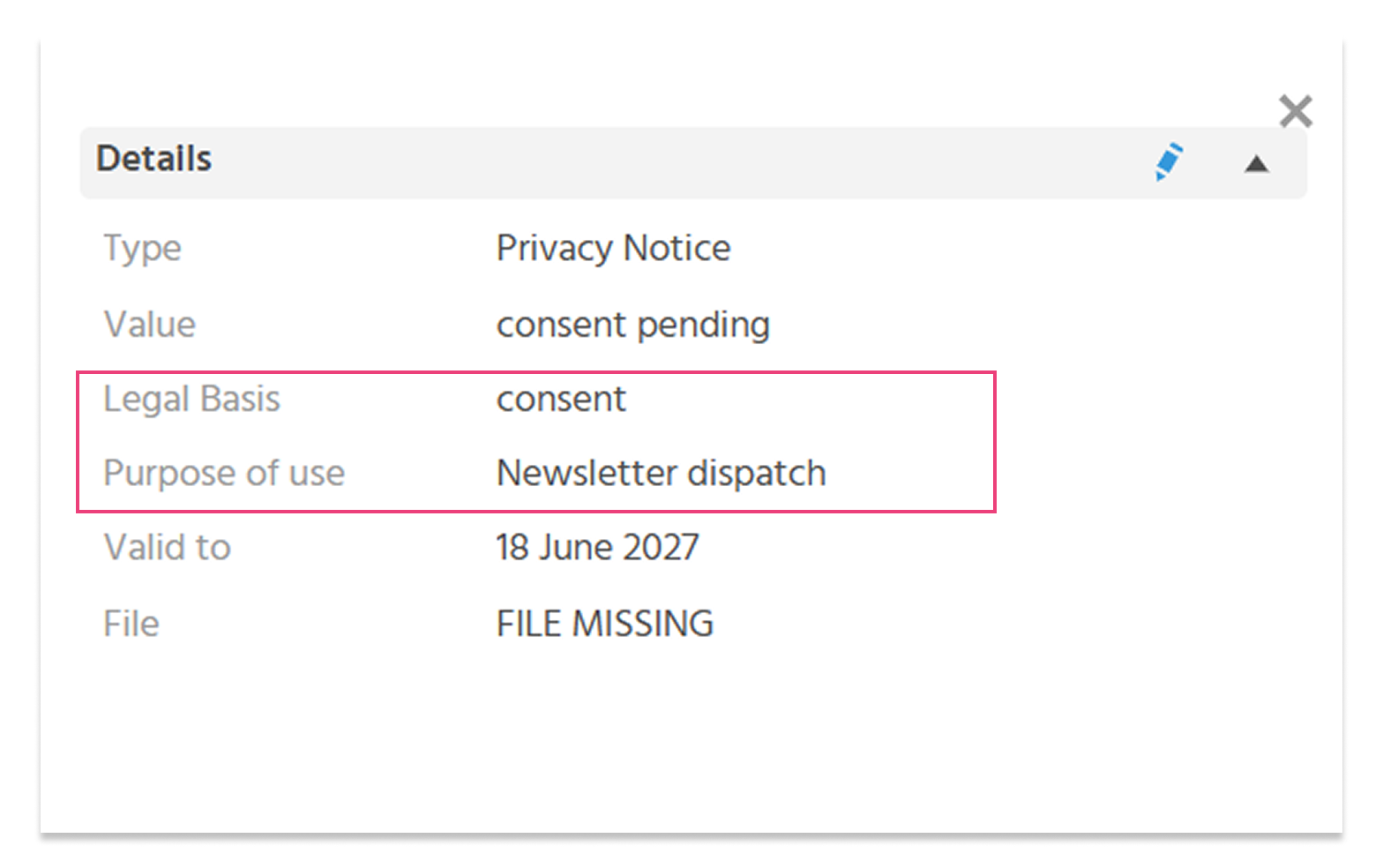
To improve the technical comprehensibility and align more strongly with GDPR terminology, various labels in the system have been adjusted. The new terms are the legally correct designations and make it easier to classify data-privacy-relevant information.
The following labels have been changed:
- Data Privacy Law → Legal Basis
- Apply Data Privacy → Purpose of Use
- Transmission → Disclosure to Third Parties
- Recipient → Third Parties
- External Data Source → Origin
- Date of Request → Date of Report Request
- User Data → Personal Data
ℹ️ Further Information: PDF EN
Sales
🚀 Traceability of Changes in the Buying and Selling Center
In the Buying and Selling Center of an Opportunity, the following information is now stored for the Contacts recorded there:
- Creation date (DATE_NEW) + username (USER_NEW)
- Date of last edit (DATE_EDIT) + username (USER_EDIT)
Users with administrator rights can view this information in the Preview via the "Open Admin View" action.
🚀 Better Performance When Displaying Forecasts
A significant performance improvement has been achieved when creating and loading Forecasts (Dashlets for Forecasts, "Forecast" tab in the Opportunity, Context Turnover Forecast). As a result, the charts with Forecast data respond noticeably faster.
🪲 Discounts on the Receipt Are Reliably Saved
If a discount was maintained directly on the Receipt via the Preview (discount as a percentage, discount amount, or final discounted total), the entered values were previously not saved to the database. Only an additional change to the Receipt items updated the amounts correctly.
This bug has been fixed: the recalculation of the Receipt totals is now also triggered when the Receipt itself is saved. All affected totals (discounted net sum, discount amount, tax amount, gross sum) are thereby saved directly and correctly. After saving, users see exactly the discount values entered in the Preview.
ℹ️ Note: With 2026.4.2, the frontend fix is initially delivered. A maintenance process to correct already existing, affected Receipts will follow at a later point in time.
Marketing
🚀 AI Functions Now Available in Mosaico
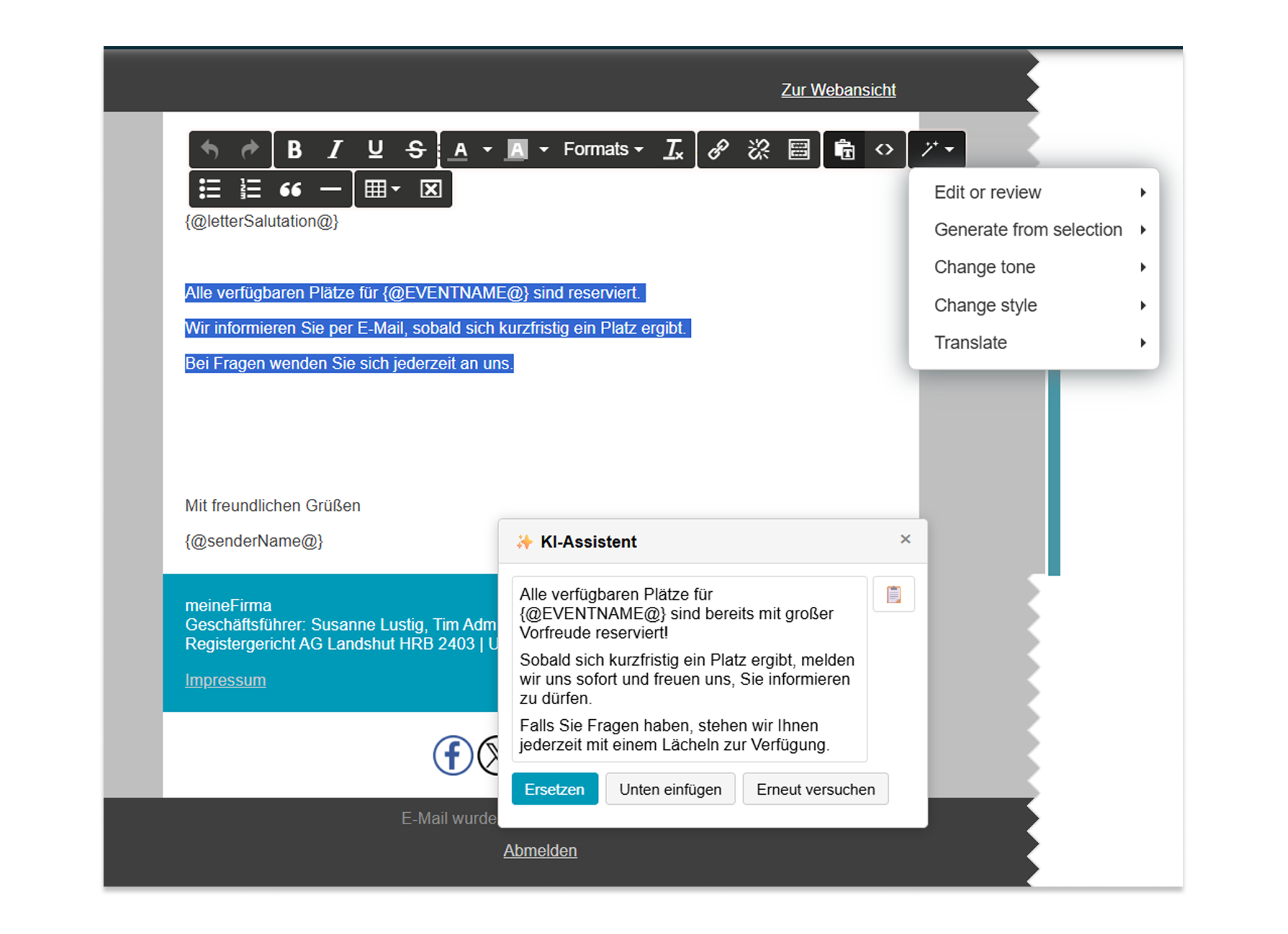
Texts can now also be created and optimized in Mosaico with the help of AI. Users can use the AI button in the Mosaico Editor for this purpose.
Predefined commands can be used via AI commands to revise selected content.
- Edit or review texts (optimize, shorten, extend, simplify)
- Generate texts (summarize, continue)
- Change tonality (professional, casual, direct, confident, friendly)
- Change text style (business, legal, journalistic)
- Translate (English, German, Spanish, French)
ℹ️ Further Information: PDF EN
🚀 Automatic Selection of the Advertising E-Mail Address for Bulk Mails
Users no longer need to check the email addresses of mass email recipients afterward and correct them manually.
Previously, when adding a recipient to a mass email, their default email address was always used. If there was no consent on file for that email address to be used for the specific purpose of the mass email, the recipient was excluded. If another valid email address was available in the database, it had to be selected manually.
Recipients can still be conveniently added using saved filters, via a bulk action, or individually. In doing so, the system now automatically identifies an email address in the database that may be used in accordance with the recipient’s marketing preferences for the respective interest.
If multiple suitable email addresses are available, the default email address is used by default. If this is not permitted, the address with the most recent advertising setting is selected.
ℹ️ Further Information: PDF EN
🚀 General Advertising Block for Easier Maintenance
The management of advertising blocks has been extended so that blocks can now also be recorded on the Contact without existing communication data. This makes data-privacy-compliant maintenance of Contacts easier, particularly in a B2B environment.
The following adjustments have been implemented:
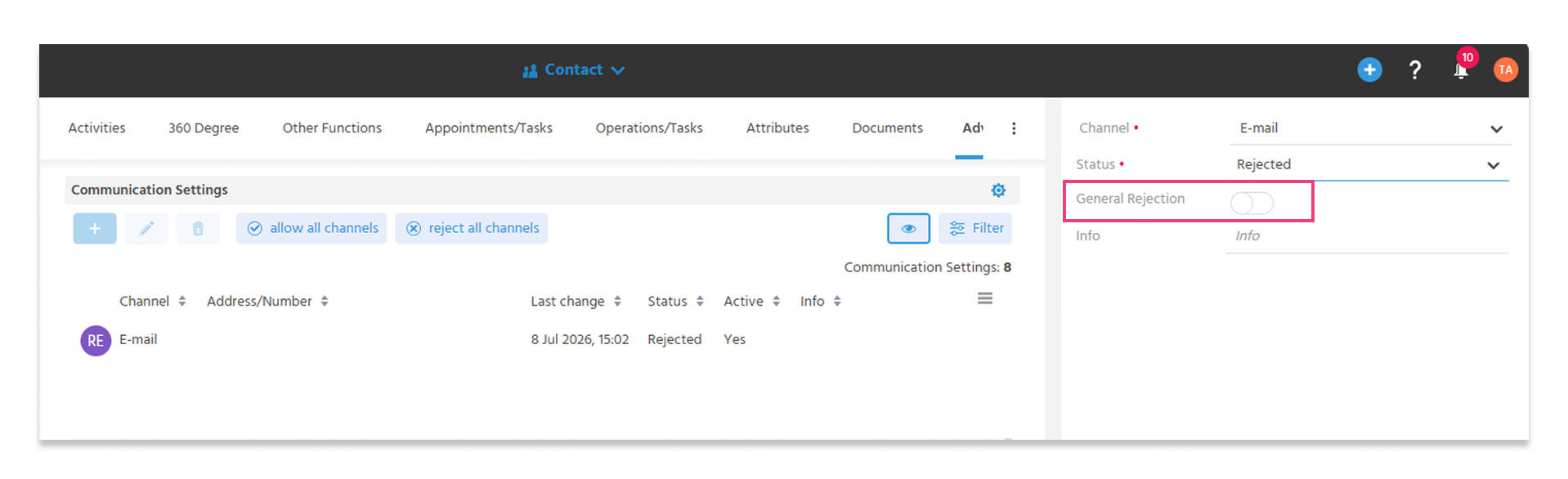
- New toggle button "General Block" when creating an advertising indicator (the toggle button appears when the status is set to "rejected").
- A general block automatically blocks all existing communication data of the selected channel.
- Newly created communication data is automatically included in the block.
- The "Set Advertising Block for All Channels" action also sets a general block, simultaneously for all channels.
- If the block is removed for individual communication data, the general block for the affected channel is also removed.
As a result, advertising blocks can be maintained more easily, more completely, and independently of existing communication data.
Service
🚀 New Filter "Days Inactive" for Service Tickets
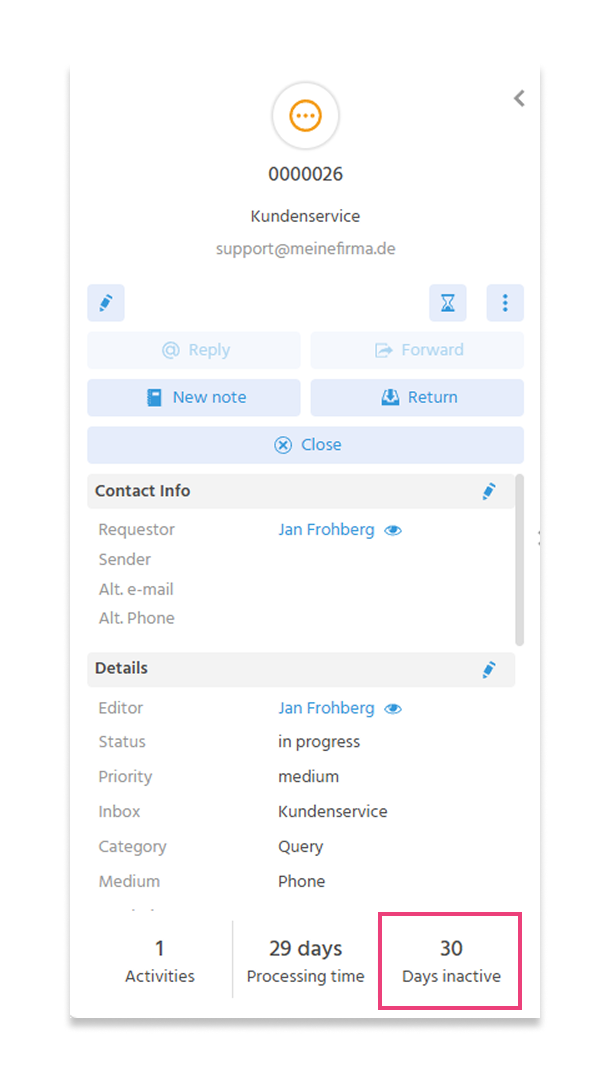
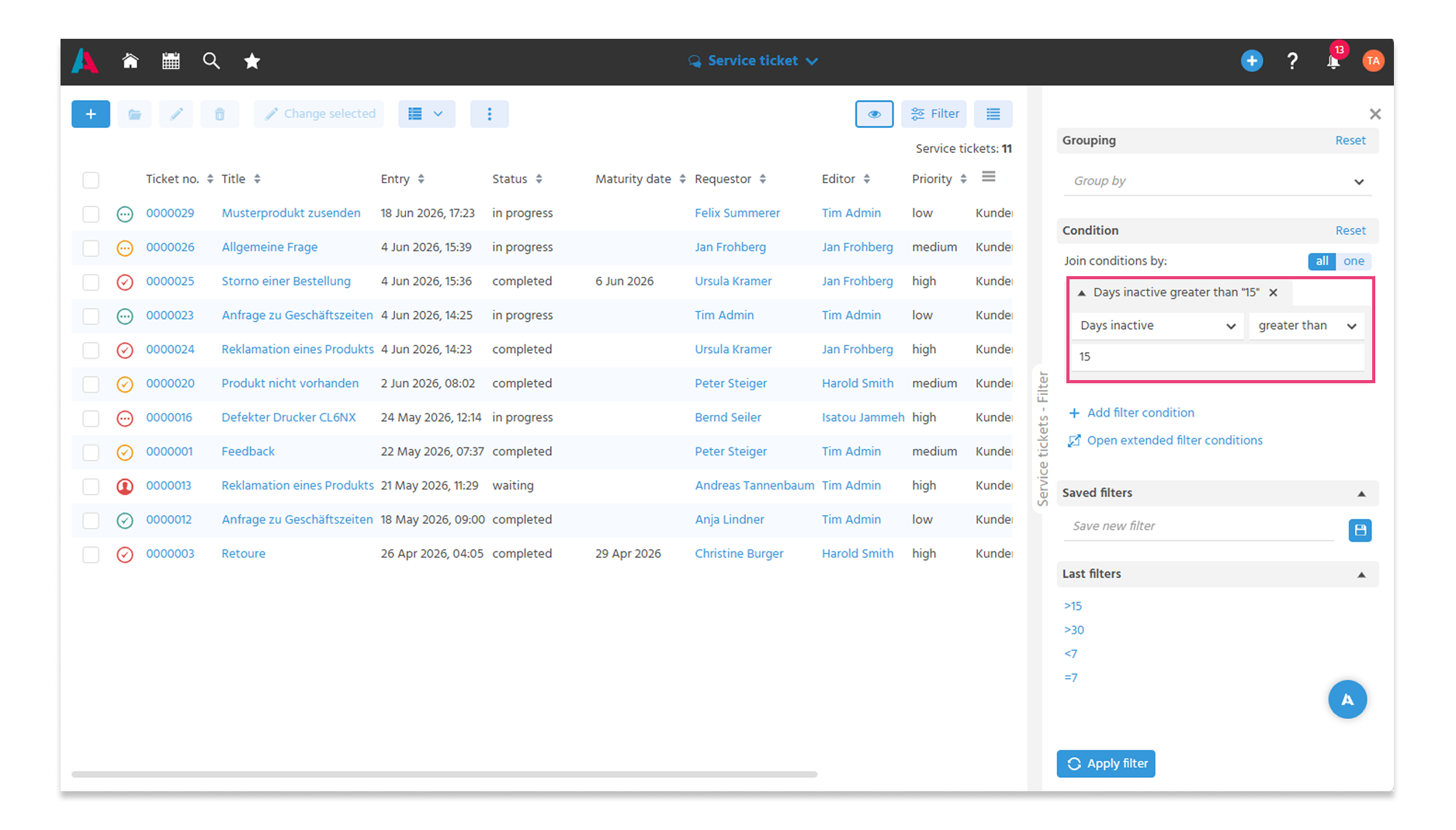
Neglected Service Tickets can now be tracked down just as quickly as inactive Opportunities; for follow-up or escalation, the filter "Days Inactive greater than X" is sufficient.
This is made possible by the new field "Days Inactive", which — analogous to Opportunities — counts how many days have passed since a ticket was last edited. A ticket is considered "edited" when its status changes, when a new Activity is recorded, or when an edit is made on the ticket itself.
ℹ️ Further Information: PDF EN
Knowledge Management
🚀 Tags Simplified and News Marking Optimized
The tagging of knowledge contributions has been standardized and simplified. In the future, tagging takes place exclusively via the system-wide public tags, which can also be used via the index search. The tags that were previously available specifically for knowledge management no longer apply and are automatically transferred to the public tags.
In this context, the marking of knowledge contributions as news has also been simplified: it now takes place via a toggle button. Knowledge contributions marked as news are displayed in the two Newsfeed Dashlets.
ℹ️ Further Information: PDF EN
xRM Help
🚀 Help Button Refers to the xRM Help
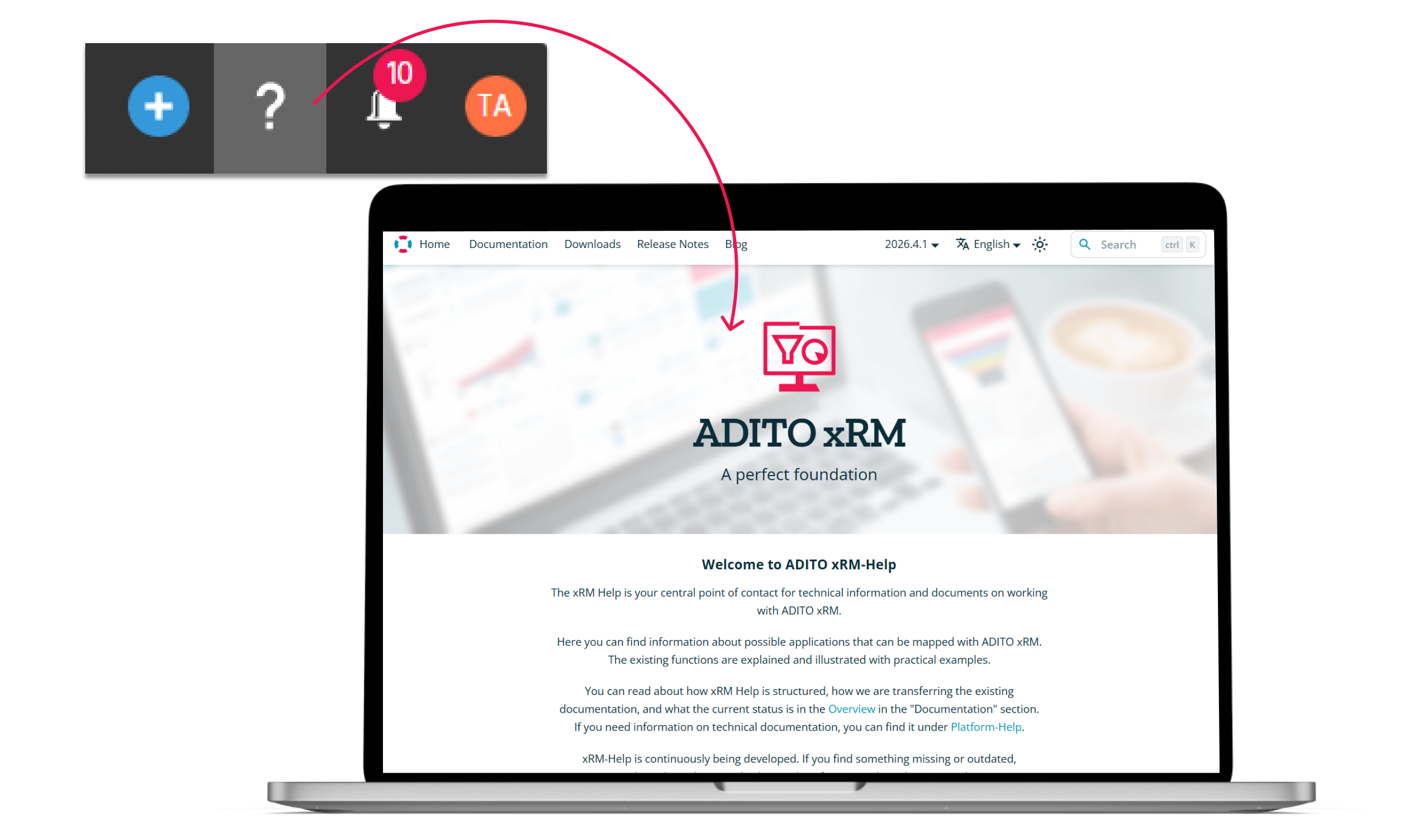
The help button in the Global Bar has been reconfigured and now refers to the xRM Help.
This provides a single point of contact for documentation, guides, and further information related to the xRM. Direct access via the help button makes it easier to reach the available help content.
Technical Changes and Developer Information
🔧 Synchronization of Calendar Permissions via Microsoft Graph API Added
In the course of the shutdown of Exchange Web Services (EWS), the synchronization of calendar permissions has also been switched to the Microsoft Graph API. This only requires an adjustment of the configuration, and the synchronization is already switched.
🔧 Stabilization of the Calendar Rights Sync via EWS
The calendar rights sync via Exchange Web Services (EWS) has been stabilized: when a shared calendar was added for the first time via EWS and permissions were restricted, an unnecessary error message could occur in certain cases. This behavior has been fixed, so shared calendars can now be reliably added even with these permission levels.
These adjustments concern only the EWS connection. In perspective, a switch to the Microsoft Graph API should be made, as EWS has been discontinued by Microsoft. However, the corrections are relevant for individual projects that plan to switch at a later point in time and continue to rely on EWS until then.
🔧 Cleanup of Transpile Warnings
When transpiling the xRM, the warnings that have occurred so far have been further cleaned up. These include, among other things, notices about invalid links, modifications, unrecognized aliases, and missing services.
With this cleanup, the transpile process delivers a significantly cleaner result and creates a reliable basis for further development and adjustments.