Create and Edit Offer Document
Once all items have been added and configured, the Sales Executive can create an offer document. There, the salutation as well as the header and footer text can still be adjusted individually, and the offer can then be sent by letter or by e-mail.
Creating a Document from the Offer Data
All offer data is automatically applied to the offer document, so that errors caused by duplicate manual entry are avoided.
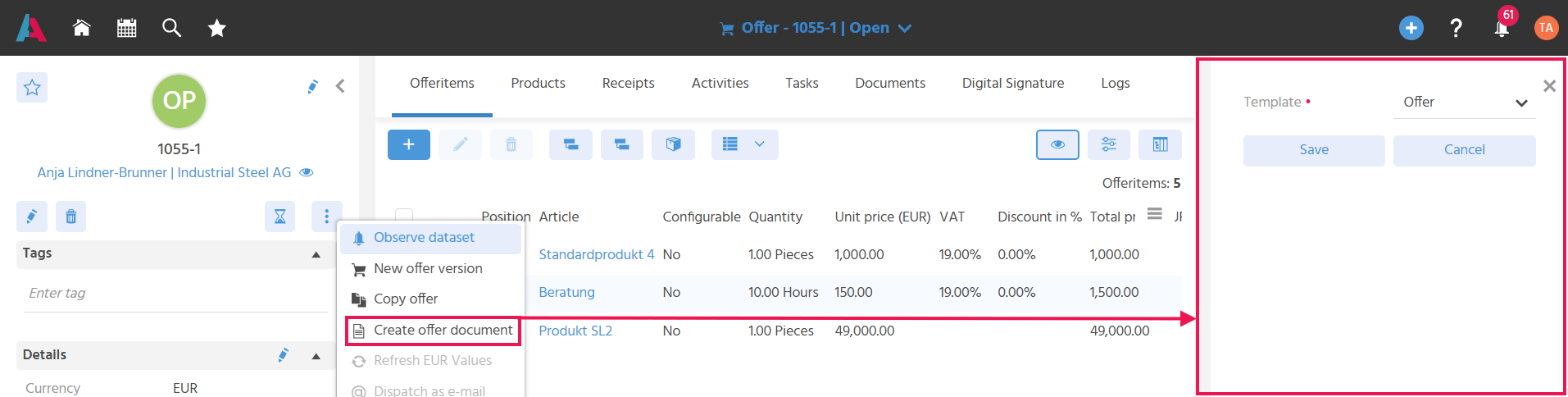
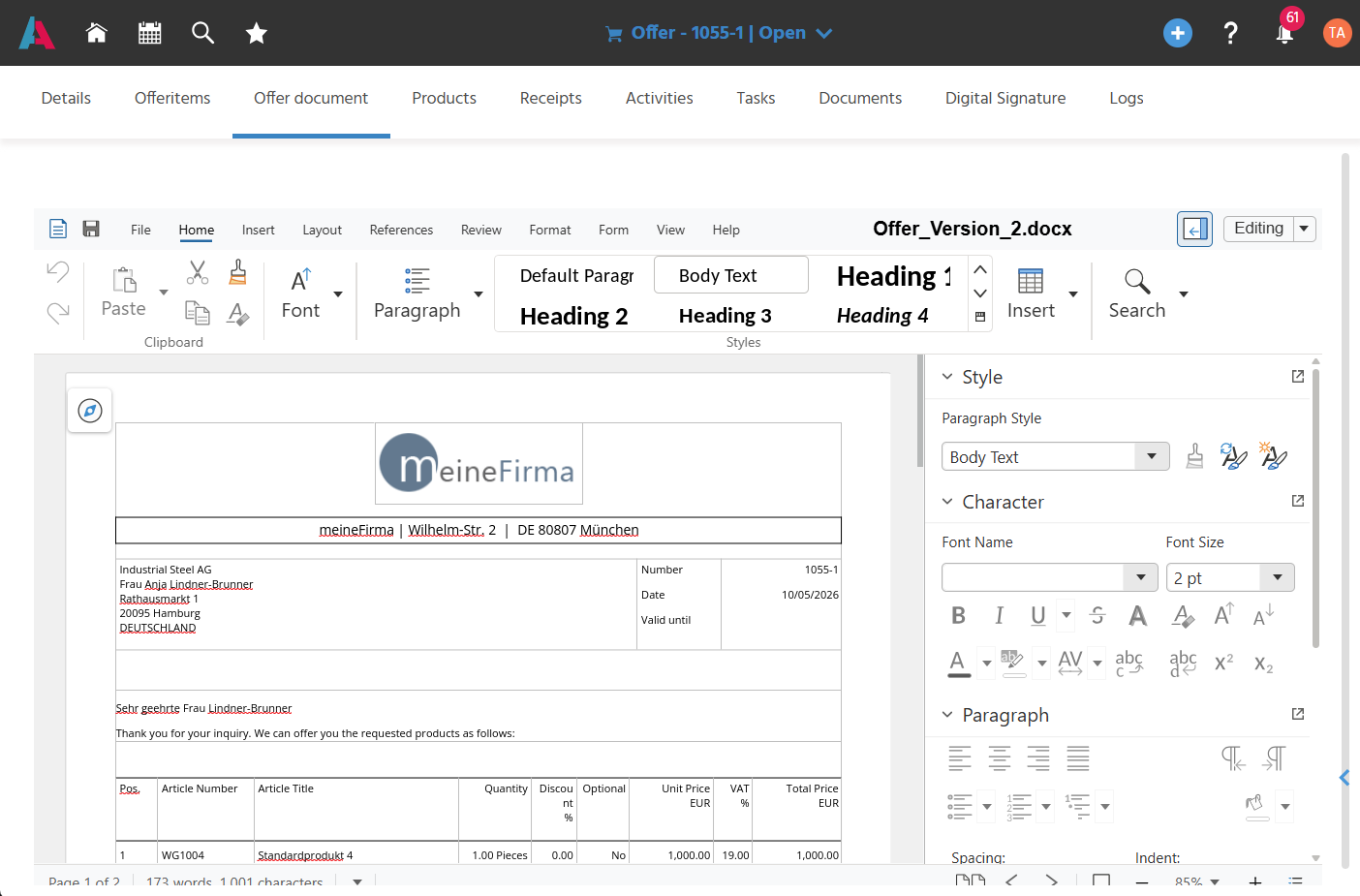
For this purpose, the "Create Offer Document" Action is available in the "Further Actions" in the Preview of an offer. When the Action is executed, a SmallEdit opens in which a template can be selected. When the selection is saved, the "Offer Document" tab appears, in which the offer is displayed in the Document Editor. In addition, the offer is filed in the "Documents" tab.
Once the "Create Offer Document" Action has been executed, it is renamed to "Regenerate Offer Document". Each time the document is recreated, another file is filed in the "Documents" tab.
- If, after the offer has been created and before it is sent,
- changes to the offer items occur, the "Regenerate Offer Document" Action is used.
- changes to the accompanying texts in the offer occur, they are applied to the file filed in the "Documents" tab using the save button in the offer document.
- If a new offer version is to be created and sent after an offer has been sent, the "New Offer Version" Action is used.
Adjusting the Salutation, Header and Footer Text of the Document
The salutation, header and footer text of the offer can be adjusted, so that they can be tailored individually to the recipient.
Areas can be locked for editing in the template, so that, for example, the header data and product data of the offer cannot be changed in the offer document.